Recently, I built a native Mac tool called Asky (GitHub link: https://github.com/Niall-Young/Asky). This is the first time I've made such a large native Mac application. It includes Spotlight, Agent capabilities, and more. I thought a lot during the conception phase, but if I were to actually introduce this product, I think it's meaningless in this AI era; there are many similar projects, lots and lots of them—Hapigo, Raycast, Tinycast, and so on—and they're better and more elegant than mine. So I think rather than directly introducing this product, it'd be better to talk about how I built it, which might be helpful for everyone in Swift development and in choosing an Agent for desktop applications.

How the Idea Came About
Actually, I wanted to build this product half a year ago. I saw thatPai Da Xinhad made a desktop Agent that can use the various API interfaces provided by Mac to directly operate Mac system applications, such as Calendar, Messages, and so on. My first thought at the time was—I want to make one too. But at the beginning of the year, there were several big obstacles in front of me that made me give up on this idea.
The main thing at the time was that I didn't understand Swift development at all. Earlier in the year, there was no Codex, and tools like Trae weren't capable enough yet. Back then, it was almost impossible to Vibe-develop a complex product with truly zero knowledge.
On the other hand, I hadn't figured out what I could build. I couldn't find a differentiator. This thing is cool, but then what—would I actually use it myself?
This question is actually something I've kept reflecting on as I've built many things up to now. AI makes it too easy for us to enter a state of "technical climax." Especially now, a technical idea may only need one sentence plus a wait of varying length to be built. That sense of 0-1 construction achievement gives us a huge amount of dopamine, but we forget to ask ourselves more often: what is the value of doing this? Even if it's not for others, not for users, but just for ourselves—can we really use it ourselves?
With AI's vigorous development this year, the second question has increasingly become the main question. So even though AI can now support us in producing a small product with one sentence, I kept putting off doing it.
Until recently, I found that Apple's Spotlight really has quite a few limitations that annoy me—its interaction isn't smooth. For example, the clipboard is clearly a behavior oriented toward browsing and then selecting, yet it was made into a search, and so on. I started learning about tools like Raycast (official website link:https://www.raycast.com/). I was struck by Raycast's refinement and simplicity, but it is indeed quite expensive—I have an obsessive-compulsive quirk where something must either be free or paid for. The price of over 400 RMB a year is really not a small number, so I then used the open-source Tinycast (GitHub repository link:https://github.com/abue-ammar/tinycast). I think Tinycast is quite good, but I feel its clipboard isn't elegant enough, and it doesn't have Raycast's AI capabilities. Later I started using the domestic Hapigo (official website link:https://hapigo.com/). The developer of this product also made the screenshot tool 1 Capture, which I have been using ever since I paid for it. Hapigo meets most of my needs, but as a designer, I truly cannot accept Hapigo's looks—the gap in native quality is just too large.
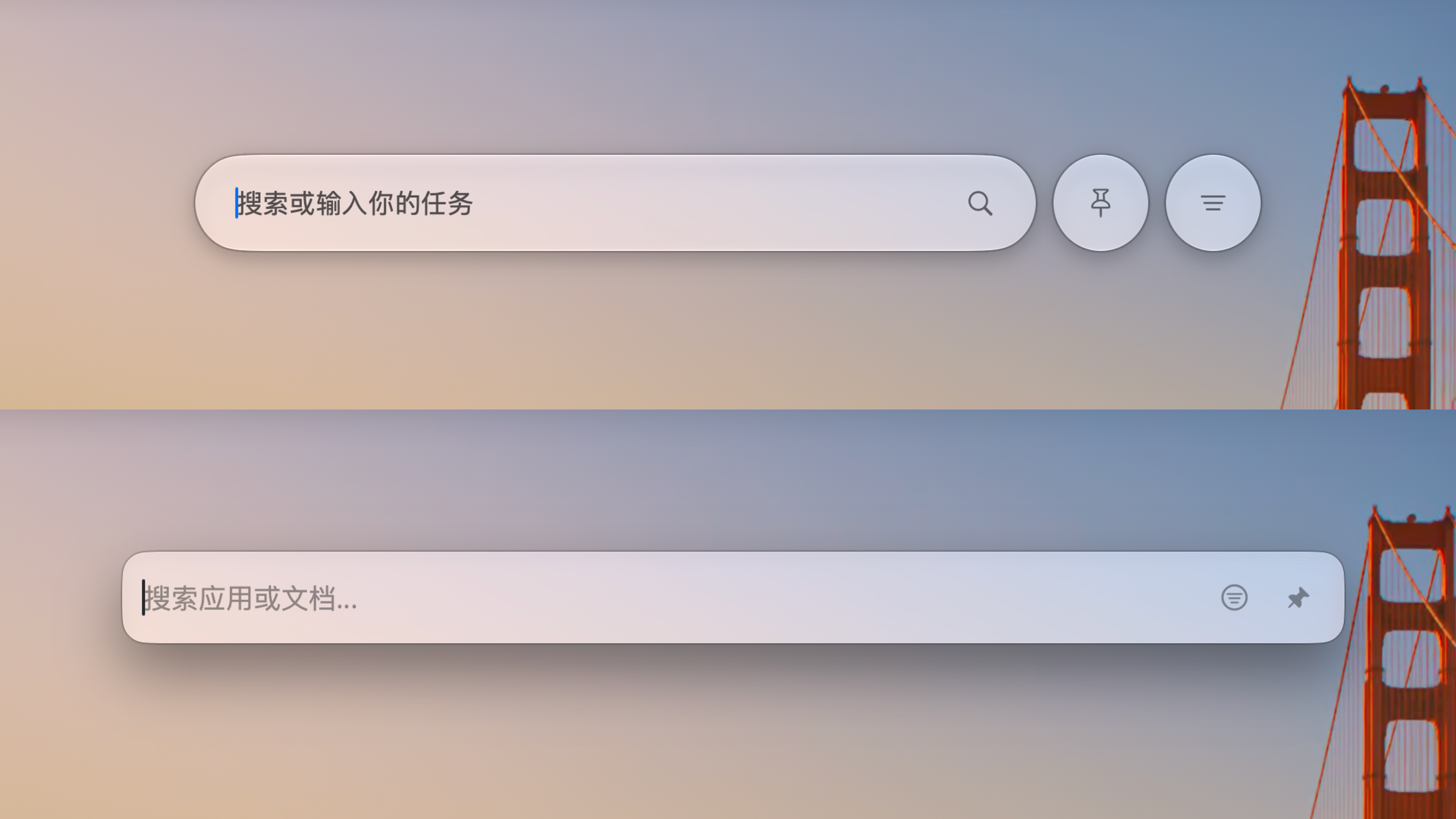
Hapigo is an excellent launcher, rich in features, and it also integrates AI functions. Its price is also very cheap—the basic subscription is only 98 RMB/year, making it a very high-quality choice. However, returning to our initial topic, Hapigo still fails to truly connect with my Mac in the real AI era. It still remains at the most basic AI capability of AI conversation. A product like Raycast that can connect AI and Agent capabilities to help users truly take on the role of a Mac launcher in the AI era—neither Tinycast nor Hapigo is sufficient.
Furthermore, more importantly—many of Hapigo's features conflict with my paid tools, which is what I call "feature excess." For example, I have Bob (official website link:https://bobtranslate.com/) to help me with translation work. Bob's experience is very smooth, and after customizing the shortcuts, I've already developed muscle memory. Although Hapigo provides translation features, I'd rather it turn them off. Another example is screen recording—I like to use Cap (official website link:https://cap.so/), it is open source and has always been maintained, with powerful features; the Hapigo developer also directly integrated 1 Capture's capabilities, which led to a paid feature conflict between my Hapigo subscription and 1 Capture. In other words, I already have tools for various functions that each do their own job, so I don't need such a high degree of integration. This might affect my current flow of use and also cause a shortcut key disaster.
In addition, some people suggested that I develop a plugin for uTools (official website link:https://www.u-tools.cn/) to directly fill in the capabilities, but uTools is not natively developed; it is an Electron app, which means its memory usage and app size are bound to be huge. For this kind of always-on app, that is definitely not a good choice.
At the same time, with the rise of Muse and Today AI, I began to feel that a Personal agent is not something only one company can make; I can make one myself. Moreover, my daily Mac search and launch records are more valuable memory content, as they reflect my operating habits. Therefore, I want to use Spotlight as the interaction entry point to make my own Personal agent, while also having all the capabilities I need from Spotlight.
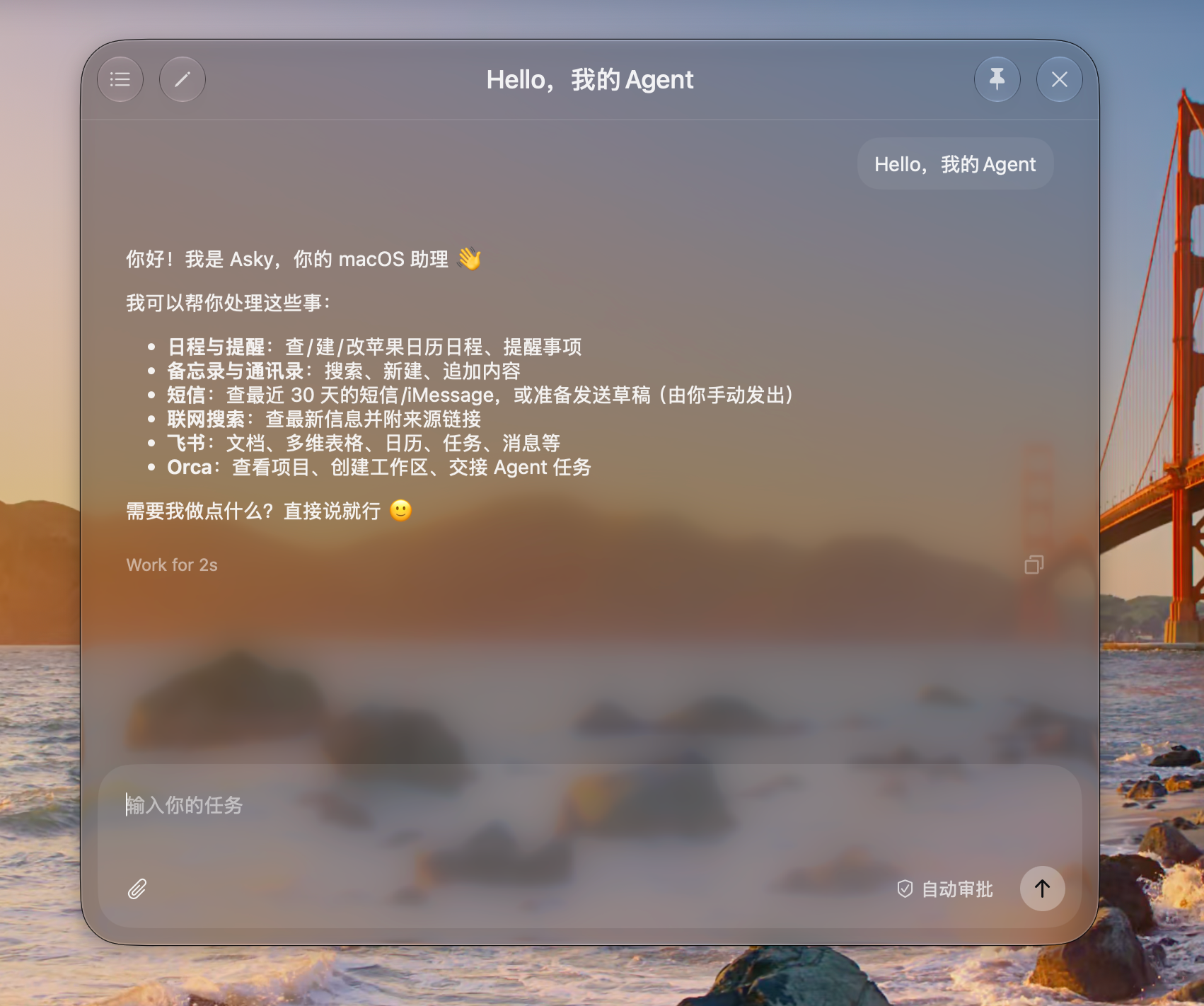
Putting it all together, I think you already understand what I want to make. I want to make a beautiful and elegant Swift-native app (because this gives the best performance; I think always-on apps are best developed natively). It is not only a Spotlight and a clipboard tool, but also my personal Agent. It has memory and the ability to operate my computer, and it is my capable desktop assistant. And all of this, just like Raycast, only requires cmd+spacethen type.
Technology choices
I said earlier that native development with Swift offers better performance (and that is indeed the case in practice), and it also allows this product to blend in with the system's native apps, as if it came with the Mac, without any sense of disconnect.
At first, I actually hoped the Agent capabilities could also be written in Swift. I specifically asked Codex to research the existing technical solutions for me, and I found that it does not seem very feasible. The only somewhat credible Swift-native Agent capability repositories I could find are these:
Project | Link | Issue |
|---|---|---|
SwiftAgent | There is almost no community ecosystem, and reliability has not yet been verified | |
Apple Foundation Models | It can only serve as a low-level capability, and its limitations are huge; many new Agent capabilities are not supported | |
ClaudeSwift | The same issue as with SwiftAgent |
This almost entirely rules out the idea of developing an Agent directly in Swift, because I do not have the ability to develop an entire Harness Agent on my own—or rather, I completely lack that ability. Therefore, I must choose a solution based on another technical route. The first thing that comes to mind is today's mainstream open-source Agents built with TypeScript. The highly integrated ones include Kimi code、Claude code, the open-source ones include Deepseek Harness,Oh my pi, and another example is built with Rust: Codex. Among these, I think they can be divided into 2 categories: one is complete product-grade open-source Agents, such as Claude code, Kimi code, and Codex; the other is Agents that are more oriented toward building with open-source plugins, such as Deepseek Harness and Oh my pi.
In the end, I chose Oh my pi. Let me explain why:
Oh my pi is fully open source, and it is also a very popular product whose value has been widely verified;
My desktop Agent does not need many modules—for example, modules such as Subagent and Goal are unnecessary. In Oh my pi, all modules are plugin-based, so I can assemble them as needed and avoid being as bloated as Agents like Codex, Claude code, and Kimi code;
Oh my pi comes with a built-in core Agent loop and a memory module; only the memory write module is missing, butpaired with models to imitate Agents like Codex and Claude code, it is enough to use native code to write a dedicated memory write module for use.
In the end, I chose to develop the front end for Spotlight and other AI capabilities natively in Swift, and use Pi's core Agent loop and memory module for the Agent capability kernel. However, as mentioned above, Pi itself has no memory write capability. This is also a problem I encountered later, and I will mention it below.

Pitfall Avoidance Guide
Actually, when it really comes to the development part, I thinkeveryone reading this articlewill be fine. Even if you know nothing, like me, you can just describe your requirements directly and let AI complete them for you, and keep adjusting whenever there is a problem. However, there are some things that I think will more or less improve your development efficiency and development experience, as well as some precautions that I think are quite important. I want to summarize them here, hoping they can help you~
Pitfall Avoidance Suggestions
Pi Agent has no memory write module
I only noticed this part after developing several versions. I found that there had never been any memory writing, so I asked AI what was going on and learned that Pi agent officially has no memory write module and instead relies on Claude.md and AGENTS.md. This means we have to implement memory writing ourselves. Actually, the problem is not that big: just send the GitHub repositories of the several Agents above to the Agents, and have them imitate the principles of those projects to create a native solution. In the end, I found the results were quite good.

Liquid Glass effect
I ran into 3 fairly significant problems with Liquid Glass, and I think you might run into them too.
The first problem is well known: the Liquid Glass effect only exists on macOS 26 and above. Earlier versions can only use a background-blurred translucent layer, so if you need this compatibility, be careful to support older versions.
The second problem is something I only learned once I actually started developing the Liquid Glass effect: the Liquid Glass that Apple provides does not have that many configurable parameters. If you are a designer or developer who uses Figma, you will find that the Liquid Glass effect in Figma is highly customizable, but it simply cannot be mapped to Liquid Glass in a real development environment. The Liquid Glass parameters Apple actually supports are only these:
API parameter | Effect |
|---|---|
.glassEffect() | Whether to apply Liquid Glass, meaning you can still choose not to use Liquid Glass on macOS 26 and above systems |
.glassEffect(_:in:) | Configure the style. Liquid Glass has only two styles: one is regular, which is the Liquid Glass texture of the native Spotlight, and the other is the highly transparent clear, similar to the earliest beta version of Liquid Glass, highly transparent, and generally not suitable as a background layer |
.tint(_:) | Control the color of the glass |
There are also some interactions and metaball effects related to Liquid Glass, which I will not explain here. There are only these three parameters that can control the style, and it is not hard to see that we simply cannot control the Liquid Glass effect freely like in Figma; we can only use Apple's official effect, and it cannot be modified at all.
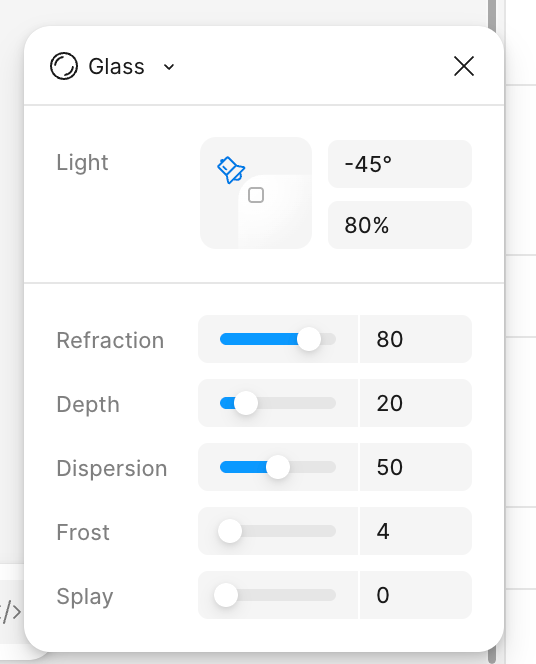
In other words, this part is actually better suited to direct vibe coding, rather than producing design mockups now; design mockups only need to focus on layout and spacing, and do not need to focus on visual style attributes.
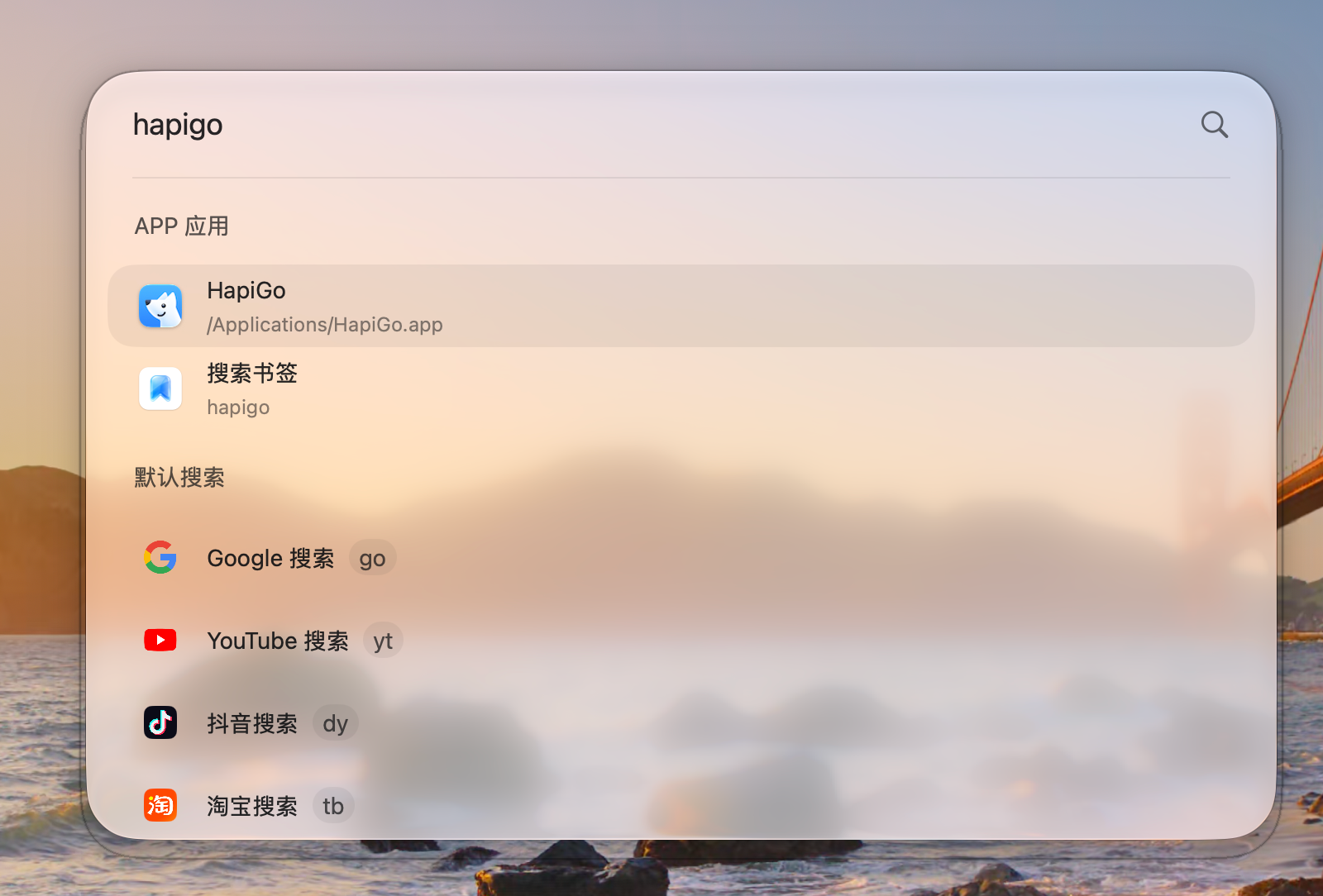
The third issue may not be encountered by everyone, but I encountered it: a black border problem that appears frequently, as shown in the image below. This problem actually troubled me for a long time. Later I learned that it was caused by the window size. Swift draws shadows based on the container's actual window. Because the actual window is larger, this problem appears. Simply put, when you use WeChat screenshot, most of the time it gets the window outline, and you will find that the outline Asky gets is one circle larger than the window. This is because the window is not natively drawn. The solution to this problem is to require the window to be drawn natively.
For personal use, you can use a local certificate
If you do not have a strong distribution requirement and mainly use it yourself, you can sign with a locally issued certificate. This way, you do not need to reauthorize every time you update the version, which greatly improves your experience. This certificate is free, and even if you distribute it as open source, it will not leak your personal information. It is very convenient.
However, note that if you have a need to list on the App Store, you can consider spending 100 USD per year to purchase a developer signing certificate. This isnot limited by the number of apps. If you want to become a professional app developer, I think this is money you must spend, and there is no need to save it.
How to connect to local applications
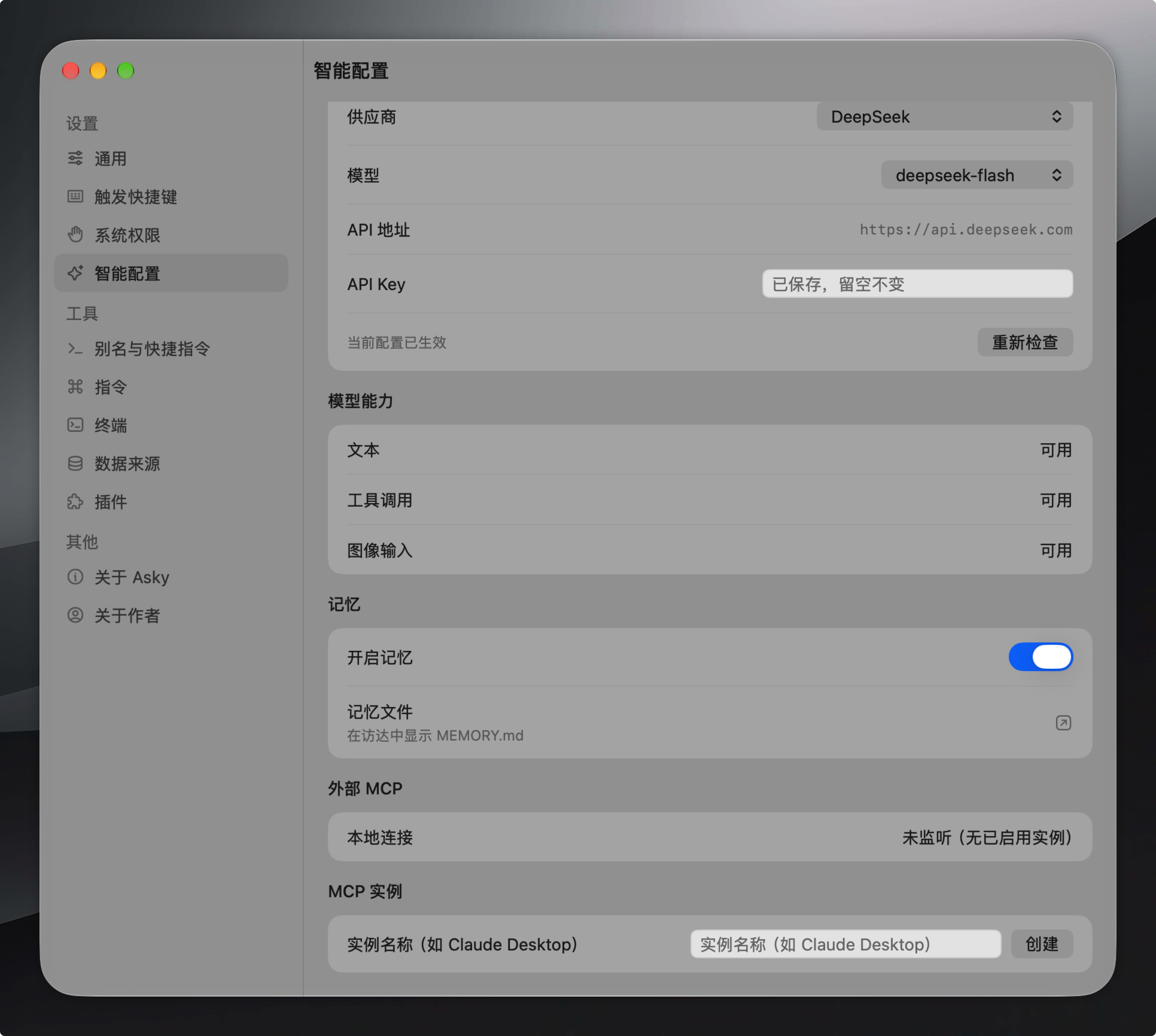
This part is actually very simple. You can use MCP, or directly give AI a tool so that it can connect to the corresponding API. Both are fine. I use MCP, which makes distribution convenient. For example, I can also hand this MCP to other Agents to call.
Suggestions for optimizing development efficiency
Reject AI self-testing
If you use Codex, I highly recommend stating in AGENTS.md that it should not perform testing itself and should leave testing to the user. If it is Claude code, then this is not needed. Let me explain why this setting is necessary. Codex and Claude code have different Harnesses. Codex by default executes many unit tests and on-device tests, but what we are building is an App, not a Web page, and Browser use cannot be used. Therefore, using Computer use will seize the mouse and may even block your screen content display, which will greatly reduce your development experience. Especially when you are developing with multiple Agents in parallel, it is recommended to force the Agent not to build or test, and to click and test yourself. This is not only for native Swift Apps; I recommend doing this for all App development.
Use AppKits to speed up front-end development efficiency
Don't build every module from scratch with Swift from 0; use Apple's official AppKits. These are the components you see in Apple's Settings, and they are native and can still have their styles adjusted. Most developers' products use these parts to build settings pages, as well as menu items in the menu bar.
Remember to clean up packaged files regularly.
If developing locally, be sure to pay attention to cleaning up build packages.
I didn't notice this problem at first. After a few days of development, I found that my hard drive was full—it was all packed versions of the project, taking up more than 100 GB of space. Just remember to clean it up. If you, like me, don't know much about this area, you can just have the Agent handle it for you.
Security issues
I can let the Agent directly operate my computer. To be honest, this is a very high privilege. If I put no restrictions on it and let the Agent do whatever it wants, problems are bound to occur. In Codex, Claude code, or Feishu's Aily, a sandbox is specifically provided for the Agent so that it runs with privilege isolation inside the sandbox. But this approach is heavy, so I prefer a simple rule-based constraint mechanism, because after all, the Agent we're building has very limited capabilities and the Harness is also relatively thin.
My approach is similar to those Coding agents from the end of last year: confirmation through keyword matching and key behaviors. For example, when the Agent wants to delete a certain schedule, a Dialog box pops up asking the user to confirm, which solves the problem without using a sandbox. Of course, I also made something like Yolo mode, which operates directly without asking at all.

Subsequent maintenance
I want to discuss this part in two sections: one is the basic update service, and the other is how to extend application capabilities.
Update capability
I think a brief overview of this part is enough. I believe everyone knows about update capability. Even if you don't, you can just hand it over to the Agent. The only thing to note is that after updating, remember to clean up the old version of the application; otherwise, users will see several corresponding applications.
Extending application capabilities
I think this part is a trend—a trend of open-source products. I found that yetone has also adopted a compromise approach for open-source projects like magpie (official website link: https://usemagpie.ai/zh/)—that is, supplementing capabilities through plugins. That's what I did too.
Let me explain why I use plugins. There are mainly the following reasons:
In order to use Pi Agent,I have already introduced TypeScript and its dependency Node.js, which has made the package start to get somewhat large. I need to "slim it down" and have enhanced features installed by users on demand after installation as much as possible;
As an individual developer and open-source tool, it is necessary to avoid the maintenance pressure problems that individual developers easily encounter. At the same time, by leveraging the open-source ecosystem, pluginization allows more people to develop corresponding features on demand, reducing my pressure.
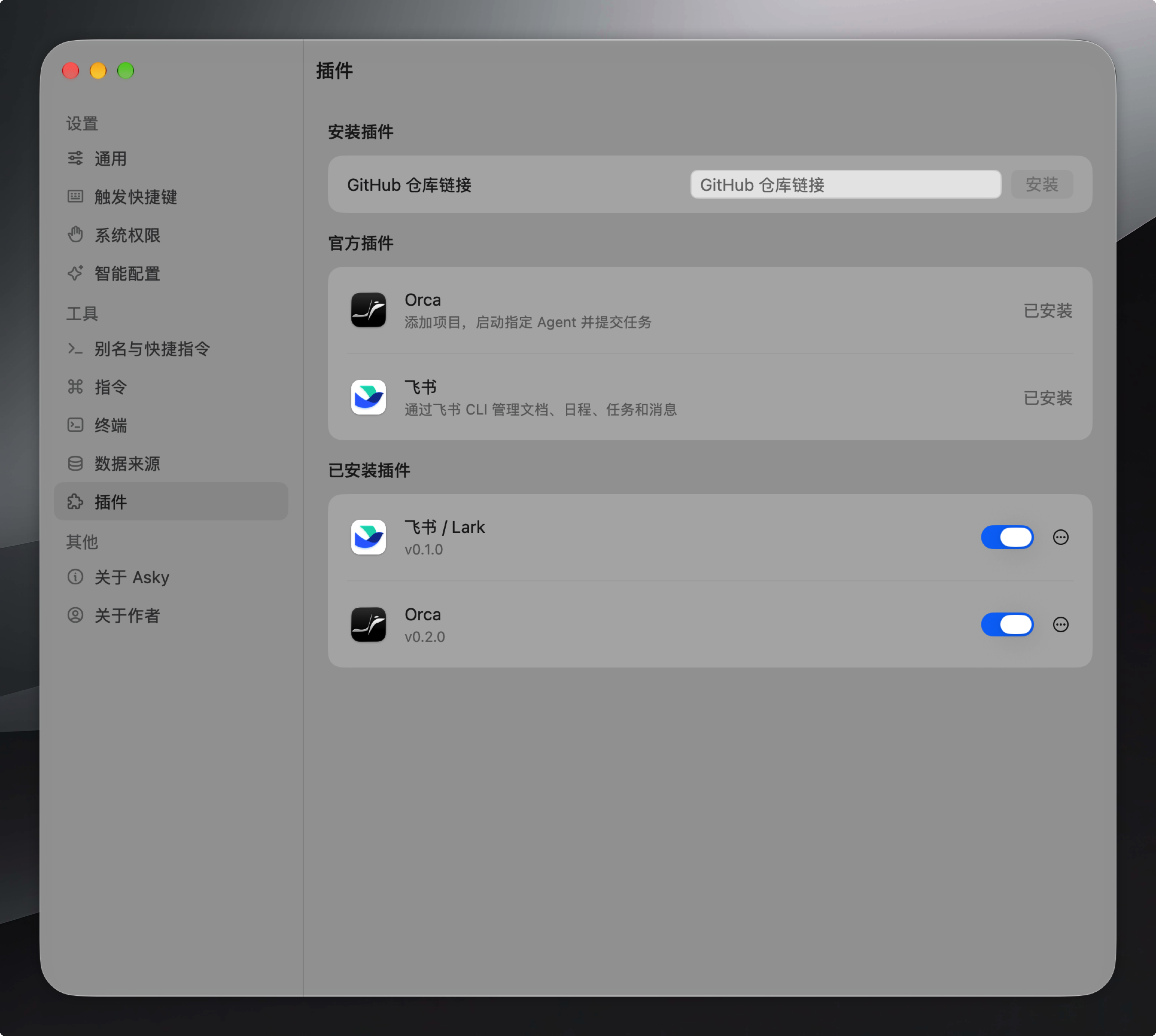
Developing a plugin system is not very complicated either. My idea is to have each plugin correspond to a GitHub repository. Users only need to add the repository of the corresponding plugin in the settings to automatically complete the installation. I have also built in some capabilities officially, such as directly operating Orca and using the Feishu CLI.
Get hands-on and build your own Personal Agent
Everyone's understanding of personal knowledge and their ideas about a Personal agent are different. For example, among the friends I know, some are extremely dependent on the system calendar for schedules, while some have never used it. Different people have different habits. I previously wrote a blog post saying that in the AI era everyone should have their own exclusive workflow (original link:In the AI era, everyone needs their own workflow · Niallspace Blog). The principle is actually the same. The reason a Personal Agent is Personal is not simply because it can access your real personal data, but also because it fully matches your imagination of a personal assistant.
In the AI era, creating your own personal Agent is not that difficult. Why not give it a try too!
2 likes
You can like once today