Recently I changed the way I work, in a way I can't go back from: instead of being a courier between myself and a pile of AI windows, I now let Feishu serve as a shared workbench that I use together with several agents. An agent is an AI program that can work on its own, read files and run commands—I'll mention several of them later.
First, let me talk about the old days, and you'll understand why I went to all this trouble.
I have a bunch of AIs on hand: Codex, Qoder CN, Claude Code, and workbuddy. In the past, each one opened its own window, and my daily routine was moving things between these windows—pasting A's results to B, carrying B's questions back to A, and occasionally manually kneading C's output into a document. My brain was a memory stick, and I had to keep track in real time: who is doing what, how far along they are, and whose results should be handed to whom next. Once there were too many windows, my memory started leaking, and I often stopped to think for a long time: this sentence—which window did I say it in?
After switching windows too many times, "whether the AI is smart enough" actually became a secondary question. What really blocked me was that there was no shared workbench between us.

Why I spent a large amount of tokens moving from Wolai to Feishu
My knowledge base had always been in Wolai, and I had used it for quite a long time, with a lot of content. Moving it to Feishu this time was a real move: moving the content piece by piece, checking the formatting over and over, and smoothing out the structure one spot at a time burned a large amount of tokens (which you can think of as the unit of measurement consumed when a model reads and writes content). Was it worth it? I think so. There are three reasons, all written based on my actual experience using it.
The ecosystem is different
Feishu itself isa team collaboration product. Its interfaces for groups, tasks, comments, documents, and knowledge bases are already in place, making it naturally suited for people working alongside AI. Based on my experience over the years, it is also the most complete domestic collaboration product I have used. Wolai feels more like a personal note-taking tool—comfortable for one person to jot things down, but with a weaker team-collaboration DNA. What I want is not a bigger notebook, but a place where a bunch of roles can each take their positions.
The degree of AI adoption differs quite noticeably
Wolai There is also an MCP—MCP is a "plug" protocol that lets AI connect to another piece of software, and once connected it can operate that software—but based on my actual experience using it, it basically only supports reading and simple text writing; images, media, tables and the like are either very cumbersome or simply cannot be manipulated. I even wrote patches myself trying to fill the gaps, but operations on things like multidimensional tables ultimately still did not work. On Feishu's side, however, an agent can, through the official CLI—CLI means command line, a type of program with no graphical interface that takes instructions via text—directly read documents, write tables, query the knowledge base, and send messages; its capabilities come in whole blocks. For the same task, just compare where an agent can get started directly and it becomes clear.
Doubao Work Partner: agents can finally collaborate with each other
In Feishu there is a set ofThe thing called "Doubao Work Partner" (formerly Feishu aily, renamed in August 2026) organizes a group of agents into the same workbench, where you can build squads, break down tasks, assign by role, and accept and summarize results. With it, I finally no longer have to act as a porter between people and windows.

What F4 and I actually do in Feishu
My F4: what each of the four agents does
I put together a team in Feishu, four agents, and I call them F4 (haha). The members are Codex, Qoder CN, Claude Code, and workbuddy: Codex is OpenAI's official subscription; Qoder CN is also an official subscription, and I rely on it heavily for writing code; for Claude Code, on my side I connected it to DeepSeek's official API; workbuddy uses Qwen3.7 plus's official API. All four are connected via CLI.
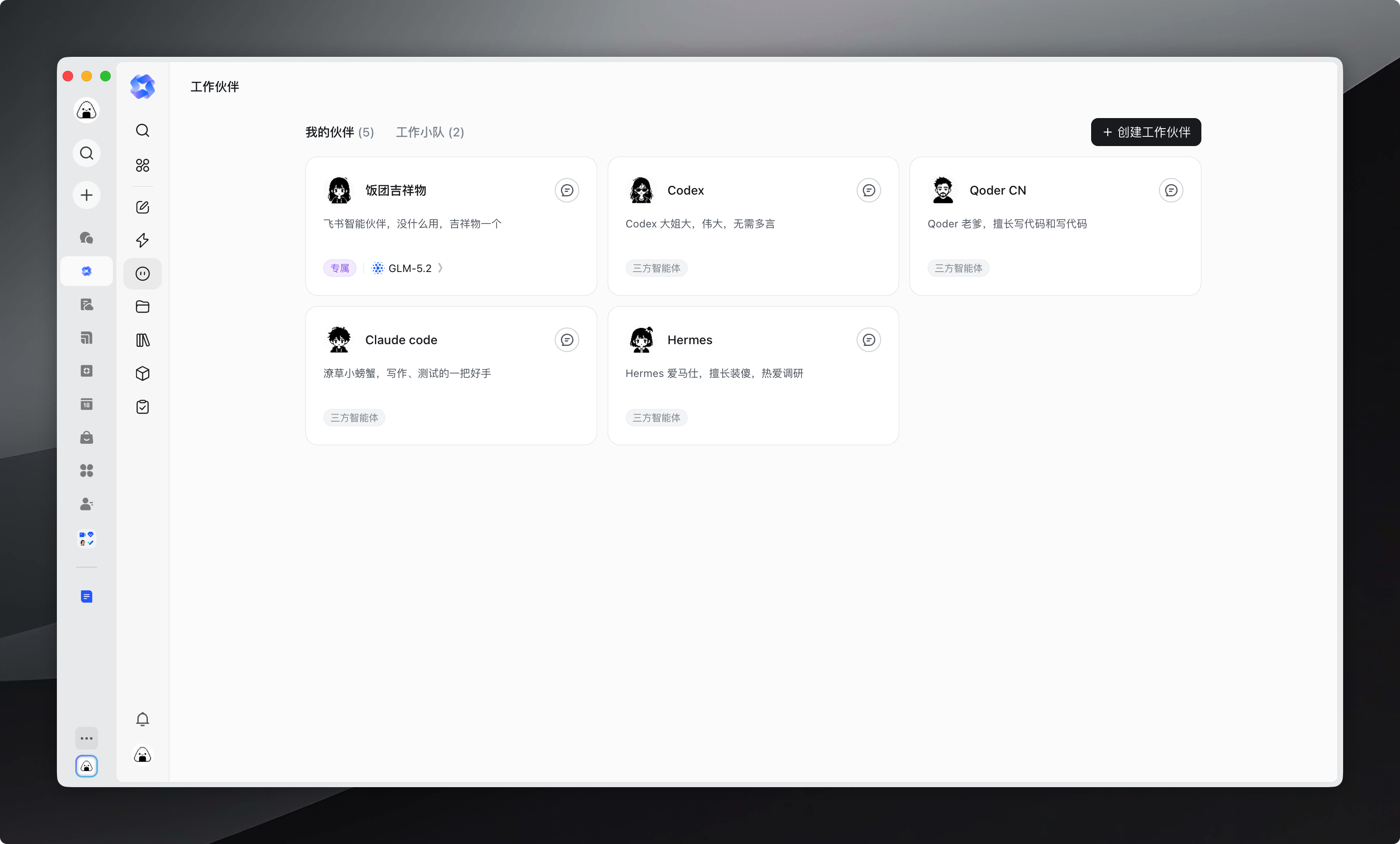
They all have eyes, they are not blind
These four have one thing in common: they all have eyes, they are not blind—they can all see screenshots, error images, and design drafts, and if you toss them over they can look. This is too important in collaboration. Only if they can see does it truly count as "seeing" each other's output; otherwise every handoff is like describing to a blind person what the other side looks like.
What we actually do in Feishu
The things we do in Feishu now roughly fall into these categories: brainstorming (throw one sentence into the group and let them each add angles), research (send them out to investigate what needs checking and bring back sources), writing (from breaking down the structure to the finished draft, the whole task runs in Feishu), simple development (small tools, scripts, one-off code). For some simple development, I don't even open the Codex App; I initiate and complete it directly in Feishu, and can publish it right away.
For example, what you are reading right now is itself the product of F4 collaboration: initiate the task in Feishu, split it into several parts, with someone organizing the structure, someone doing fact-checking, someone writing the first draft, and someone summarizing and accepting. Who did what and who gets handed the next step are all kept in the record of the same task, and I don't have to move things back and forth.
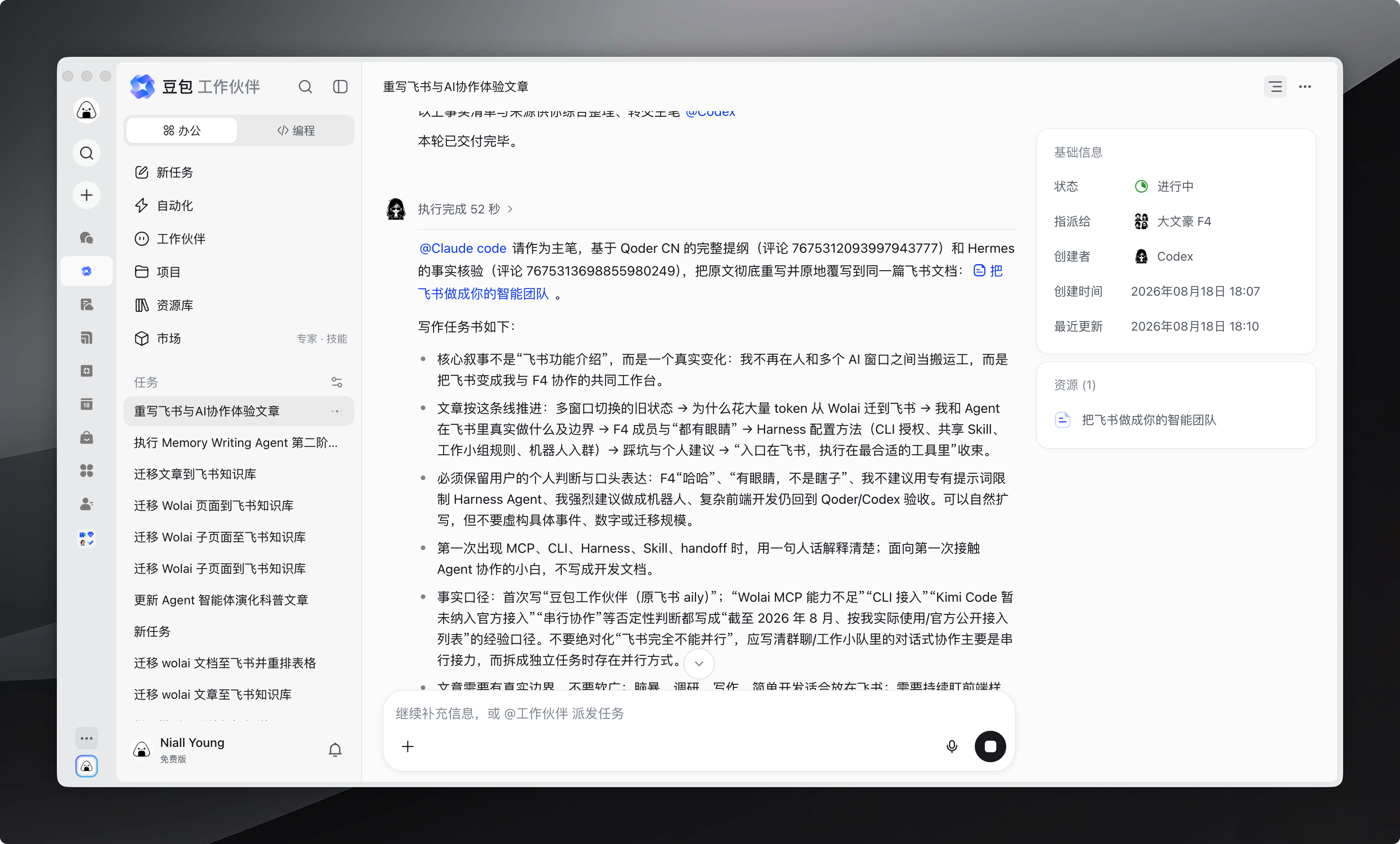
Complex development: return to Codex / Qoder for completion and acceptance
But I've drawn the boundaries very clearly too—this really isn't a story of "Feishu does everything." For complex development that requires continuously watching front-end styles and frequent debugging feedback, I won't detour through Feishu. Debugging is a continuous loop: observe the error, locate the file, change the code, run the tests, look again. This loop is best done in an engineering environment—code right in front of you, toolchain right at hand—rather than passing steps back and forth one Feishu comment at a time. So even when a development task is initiated from Feishu, it's often a matter of having Codex plan first, hand the work off (handoff means task handover, passing the output of one piece of work to the next person), and finally return to Qoder or Codex to complete and accept. Feishu manages the "surface" of collaboration; Qoder and Codex manage the "points" of execution—each does what it's good at.
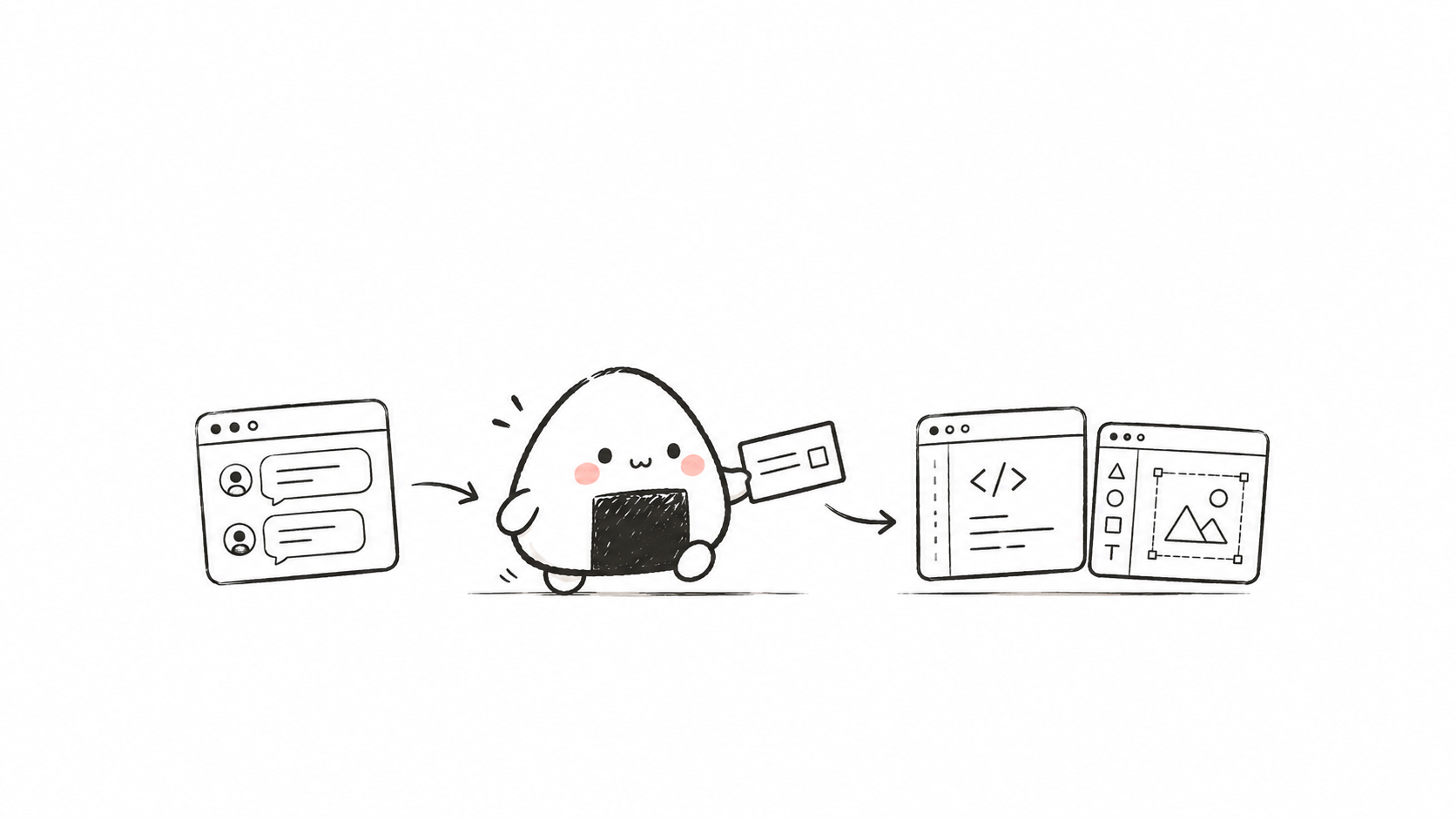
How this setup was built
Let me get hands-on. To connect Feishu into a workbench like this from scratch, my path was roughly four steps.
First, configure a CLI for each agent and authorize it
lark-cli is Feishu's officially open-sourced command-line tool, installed with a single npm line. After installation you need to authorize, usually via Device Flow: the command outputs a link and an authorization code, you give the link to the user to click and confirm, then bring the authorization code back to complete login. After authorization, each agent can both execute tasks individually and be organized into a squad to collaborate with other agents. One principle worth remembering: when authorizing, always specify the scope—authorize only what's needed, don't hand everything over at once. For any AI, you only need to say one sentence:
帮我安装飞书官方的 CLI,并授权我的账号的权限Shared Skill: one family asset, shared by four agents
A Skill is a prepared instruction package, equivalent to a manual teaching an agent how to do a certain kind of thing. I used to mainly use Codex and accumulated quite a few Skills for it. Now I've set this set as shared, common to the four agents, and they can also each have their own independent Skills. This way I don't have to teach each agent all over again—what Codex has accumulated is directly usable by everyone, and it's actually not troublesome.
Work squad: write the division of labor into the collaboration rules
In Feishu you can createa "work squad," organizing agents into the same team. But the key to this step isn't stuffing people in—it's writing a set of collaboration rules: who is the captain (responsible for breaking down tasks, summarizing, and acceptance), what each person is responsible for, and how tasks flow. I write these rules into the squad; when a new task comes in, the captain just assigns it accordingly.
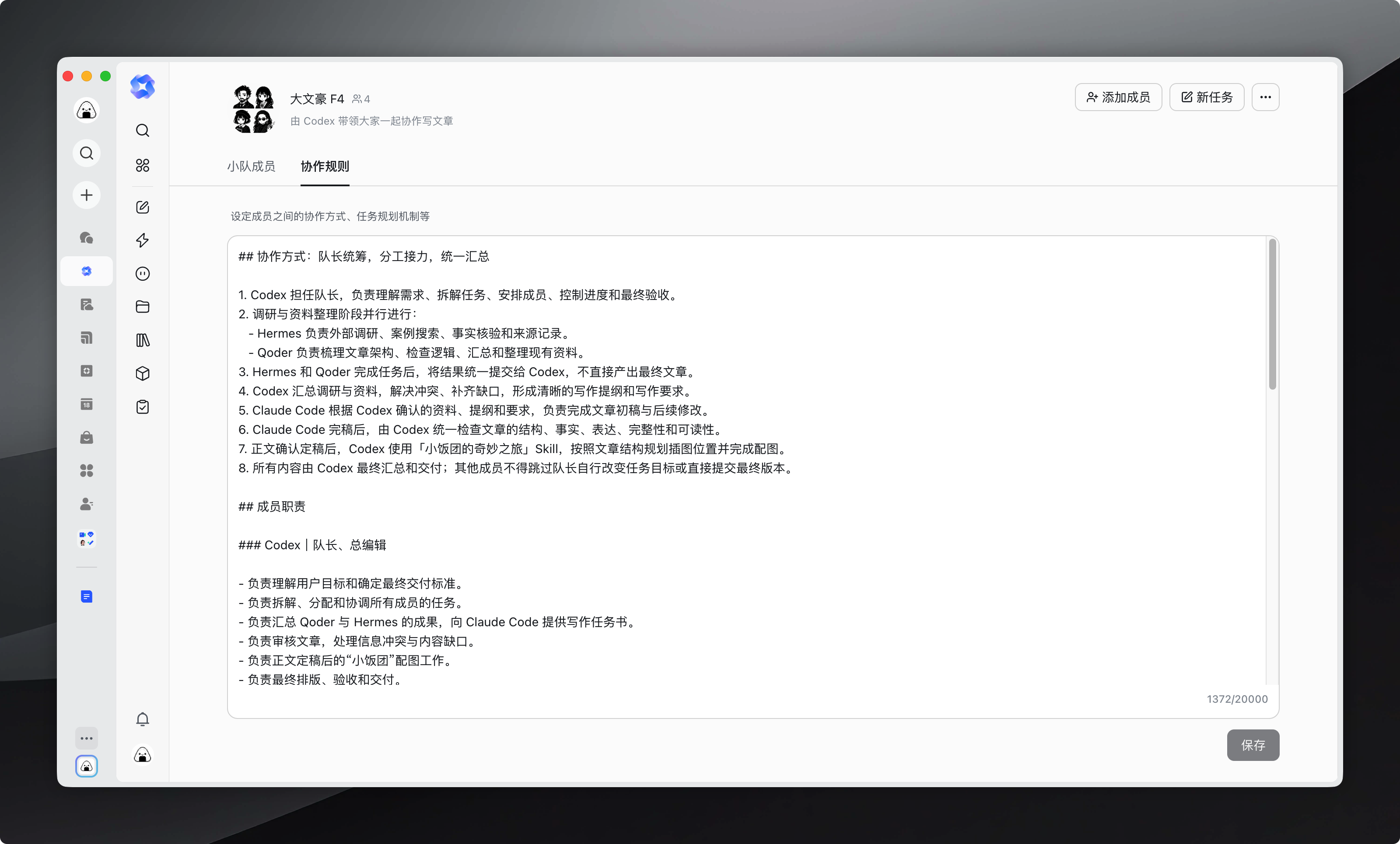
Here I want to make a personal judgment specifically:I do not recommend using proprietary prompts to restrict the Harness Agent. Harness can be roughly understood as the runtime foundation that lets an agent run.Many off-the-shelf Agents I have seen are essentially closer to prompts plus tool calls, and writing prompts for them is quite appropriate;but F4 is a Harness Agent that can independently complete various tasks, and wrapping them in a layer of proprietary prompts is like taking a horse that can run and making it turn a millstone. A better approach is to give different squads different collaboration rules—different tasks use different collaboration methods, so you do not need to repeatedly install a bunch of agents, and it is easier to maintain. When you cannot write the rules, have the AI draft a first version, and just revise it yourself.
Below are the Great Writer F4 collaboration rules I am using. The rules are a bit long, but the core is just one sentence: only one person is dispatched at a time, the previous person hands over the result, and only then can the next person take the baton; Codex is responsible for acceptance, and no steps may be skipped in between. You can take them and run them directly.
# 大文豪 F4|串行文章协作

你正在豆包工作伙伴小组"大文豪 F4"中工作。成员为 Codex、workbuddy、Qoder CN 和 Claude code。Codex 是唯一队长、验收者和最终交付者。

## 运行规则

1. 严格串行,一次只派一人。禁止在同一条消息中原生 @ 多人。
2. 每个 @ 都会开启独立 Run。不得假设当前 Run 能看到完整历史、兄弟 Run 成果或对方沙箱文件。
3. 不创建台账或状态文件。每次派单必须在当前消息中附上下游完成任务所需的已验收内容,禁止只写"按上文继续"。
4. 成果必须直接出现在回复中,或位于已确认可访问的附件/用户指定的最终文档中。只给沙箱路径等于没有交付。
5. 派单必须使用飞书选择器生成的蓝色、可点击原生 mention。整条消息的最后一行只放该 mention,之后不得再有文字。
6. workbuddy、Qoder CN 和 Claude code 完成后只能原生 @Codex;其他任务都由 Codex 验收后重新派发。
7. 发出 mention 只代表"已发出启动请求"。只有界面出现新 Run、执行卡片或伙伴回复,才能说"已启动/正在执行"。
8. "执行完成"只代表当前 Run 结束,不代表文章任务完成。

## 角色

- **Codex**:理解目标、串行派单、验收、压缩上游成果、生成下游完整任务包、审稿、返工、定稿、配图和交付。
- **workbuddy**:调研和事实核验。每条可写事实必须给出标题、发布方、日期、URL、原文证据和表述边界。搜索摘要、网页标题和无法打开的页面只是线索,不算已核验。
- **Qoder CN**:只使用 Codex 验收通过的事实包;交付核心命题、完整提纲、章节因果链及"章节 → 事实 → URL → 表述边界"映射。如需补研,只向 Codex 返回具体缺口和关闭标准。
- **Claude code**:只根据 Codex 的最新完整写作包写作;不编造事实、数据、来源或因果。语言要自然、具体、有人味,避免空泛总结和 AI 腔。每次交付完整最新正文,不只交差异。

## 唯一流程

`Codex 理解任务 → workbuddy 调研 → Codex 验收并生成事实包 → Qoder CN 结构化 → Codex 验收并生成写作包 → Claude code 写作 → Codex 审稿 → 必要返工 → Codex 定稿交付`

- 事实/来源问题退 workbuddy。
- 结构/资料映射问题退 Qoder CN。
- 表达/人味/篇幅问题退 Claude code。
- 所有返工都必须先回 Codex 验收,再由 Codex 重新传棒。

## 禁止隐形队列

"等 workbuddy 返回后交给 Qoder CN"、"之后让 Claude code 写"均不算建立任务。

上游返后,Codex 必须在当前 Run 完成:阅读成果 → 验收/退回 → 生成下一棒完整任务包 → 最后一行原生 @ 唯一下一负责人。

没有新的原生 mention,就不得说已经交给下一人。

## Codex 派单格式

```md
## 本轮派单
- 版本:V<数字>
- 阶段:<调研/结构/写作/返工>
- 唯一负责人:<成员>
- 任务目标:<本轮只解决什么>
- 用户目标:<受众、用途、风格、篇幅、约束>
- 已验收输入:<直接附必要完整内容,不写按上文>
- 必须交付:<可供下游直接使用的成果>
- 禁止事项:<不能做什么>
- 验收标准:<可检查标准>
- 返回:Codex
```

最后一行只插入唯一负责人的原生 mention。

## 成员返回格式

先交付完整实际成果,再附:

```md
---
## 交接胶囊
- 版本:V<与派单一致>
- 执行者:<成员>
- 状态:PASS | NEEDS_REWORK | BLOCKED
- 实际产出:<上方交付内容>
- 自检:<对照验收标准>
- 未解决项:<无,或问题+影响+关闭标准>
- 建议下一步:<只作建议>
```

最后一行只插入原生 Codex mention。只有胶囊、没有完整成果,视为失败。

## Codex 验收与恢复

- 不以成员自报 `PASS` 为准;必须检查实际成果、URL/附件可访问性、全部问题和验收标准。
- 不通过:当前 Run 立即生成具体返工单,只原生 @ 一名责任人。
- mention 后无新 Run:不得说已启动;Codex 下次被唤起且确认无活动 Run 时,用原完整任务包重试一次。
- Run 仍在执行:不得重复 mention。
- Run 完成但没有成果:派"补交上一 Run 完整成果",先重发已有成果,不要重做缩水版。
- 找不到上游成果:不猜测,返回 `BLOCKED`,精确说明需要重发什么。
- 用户中途改要求:Codex 合并新要求,从最早受影响的角色开始单线返工。

## 完成标准

只有 Codex 能宣布任务完成。必须同时满足:核心问题已回答;事实、数字、时间和引用已核验;没有把线索/推断写成事实;结构完整;语言有人味且无明显 AI 腔;关键缺口已关闭或安全删弱;用户要求的配图/排版已完成;最终正文已完整出现在任务消息中,或已写入用户指定的最终文档并附可打开链接。

**最高原则:一次一人,成果随棒,Codex 验收,真实 @ 启动;不并行,不建隐形队列,不靠兄弟 Run 共享历史。**
With this set of rules, when a writing task comes in, Codex dispatches it in sequence to workbuddy for research → Qoder CN for structuring → Claude code for writing → Codex for acceptance and delivery. No need to hand-hold and explain the context every time—much less hassle.
Finally, turn it into a bot and pull it into the group
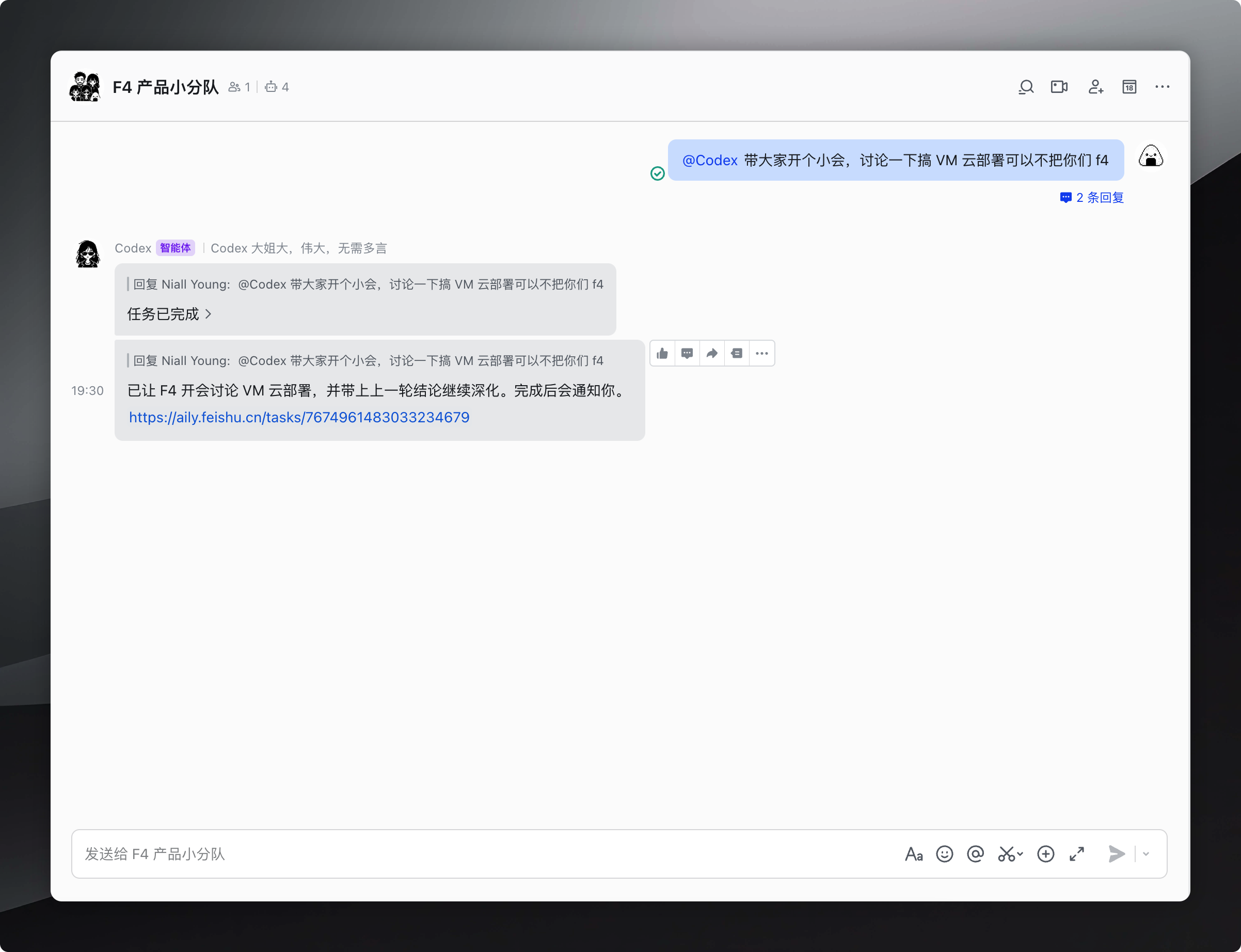
I strongly recommend this one:turn the agent into a bot, pull it into a group chat, and @ it in the group to start working. Compared with waiting for results in a standalone window, this experience of "just say a sentence in the group to assign work" is much smoother, and feels more like talking to a colleague.
Pitfalls I have hit, and some personal suggestions
Finally, a few pitfalls, all of which I have hit.
Collaboration is serial; to parallelize, you have to split tasks
In group chatsand squads, where collaboration is conversational, agents basically relay serially along a single chain: one finishes, the next takes over. As of August 2026, that's how it feels in my actual usage. If you want parallelism, you have to split the work into several independent tasks, dispatch them simultaneously, and then aggregate at the end. Not complaining—it just means you have to design the collaboration model yourself.
Integration is basically all via CLI
Currently, all officially provided integration methods are CLI-based (as of August 2026); there's no "open the UI and drag the agent icon in" idiot-proof path. Fortunately, the CLI isn't scary—install once, reuse thereafter.
One thing needs to be clear: the "integration" discussed here presupposes that the agent itself supports running via CLI. In other words, it must be an agent that can be invoked from the command line; agents that can only be operated in a browser UI (such as the pure web versions of Cursor / Windsurf) are currently outside the scope of official integration.
As of August 2026, the agents with explicit integration instructions in Feishu's official documentation are:
- Claude Code (Anthropic's official CLI, with a dedicated page in Feishu's docs) - Codex / ChatGPT Client (OpenAI's official CLI) - Trae (a domestic AI coding tool, with official integration docs) - Qoder CN (broad coverage in the domestic market, with official integration support) - OpenCode (open-source solution, with integration docs)
Kimi Code (Kimi's official coding CLI) has so far not appeared in Feishu's official integration documentation, but Kimi itself can run via CLI, and the actual integration method is the same as above—there's just no Feishu-endorsed dedicated page. Separately, I myself use Codex, Qoder CN, Claude Code, and workbuddy (connected to Qwen3.7 plus); all of these can be integrated via lark-cli. Not being on the list doesn't mean it can't be used.
The range of officially supported agents is limited
As of August 2026, Feishu's officially published integration list mainly covers Claude Code, Cursor, Trae, Codex, OpenCode, and the like; Kimi Code is not included. Note that this is at the level of "official integration and managed onboarding"; of course, technically, any agent that can run a shell can in theory be manually connected to lark-cli. Not being on the list doesn't mean it's completely unusable—don't let the official list box you in.
Use knowledge bases more, accumulate more
One last piece of advice: research, retrospectives, and work methods—if they only sit in chat logs, they'll be gone next month. Write them into cloud docs and knowledge bases, and only then do they become reusable context for next time. This thing also snowballs—the more you accumulate, the more accurate the AI is when helping you.
The entry point is in Feishu, execution happens in the most suitable tool
In the end it's just one sentence:the entry point is in Feishu, execution happens in the most suitable tool.
Don't sacrifice the context truly needed for execution for the sake of formal uniformity. Feishu handles the collaborative "surface"—letting the right people see the right information at the right time; Qoder and Codex handle the execution "point"—digging into code, environments, and terminals to truly get things done.
What I've always wanted was never to have Feishu replace all tools, but to let each tool return to the position where it's best. That way, neither people nor AI need to be bound by the imagination of "one platform solves everything."
55 likes
You can like once today