Introduction
In today's product design and development, efficient design delivery relies not only on visual creativity but also on smooth development collaboration and support from automation tools. This article shares how to combine Codex with the 21st component library and the react bits animation library to achieve high-quality design delivery for official website landing pages. Through this approach, we not only improved the efficiency of design delivery but also delivered code directly to the front-end team, ensuring both the native presentation of the design and development efficiency. Let's explore this full-process execution plan in depth and see how it builds a bridge for efficient communication and execution between design and development.
Design Challenges
During project implementation, faced with tight schedules and constantly changing requirements, I encountered multiple design challenges. These not only placed high demands on the projects themselves but also became an important test of my personal capabilities. The specific challenges are as follows:
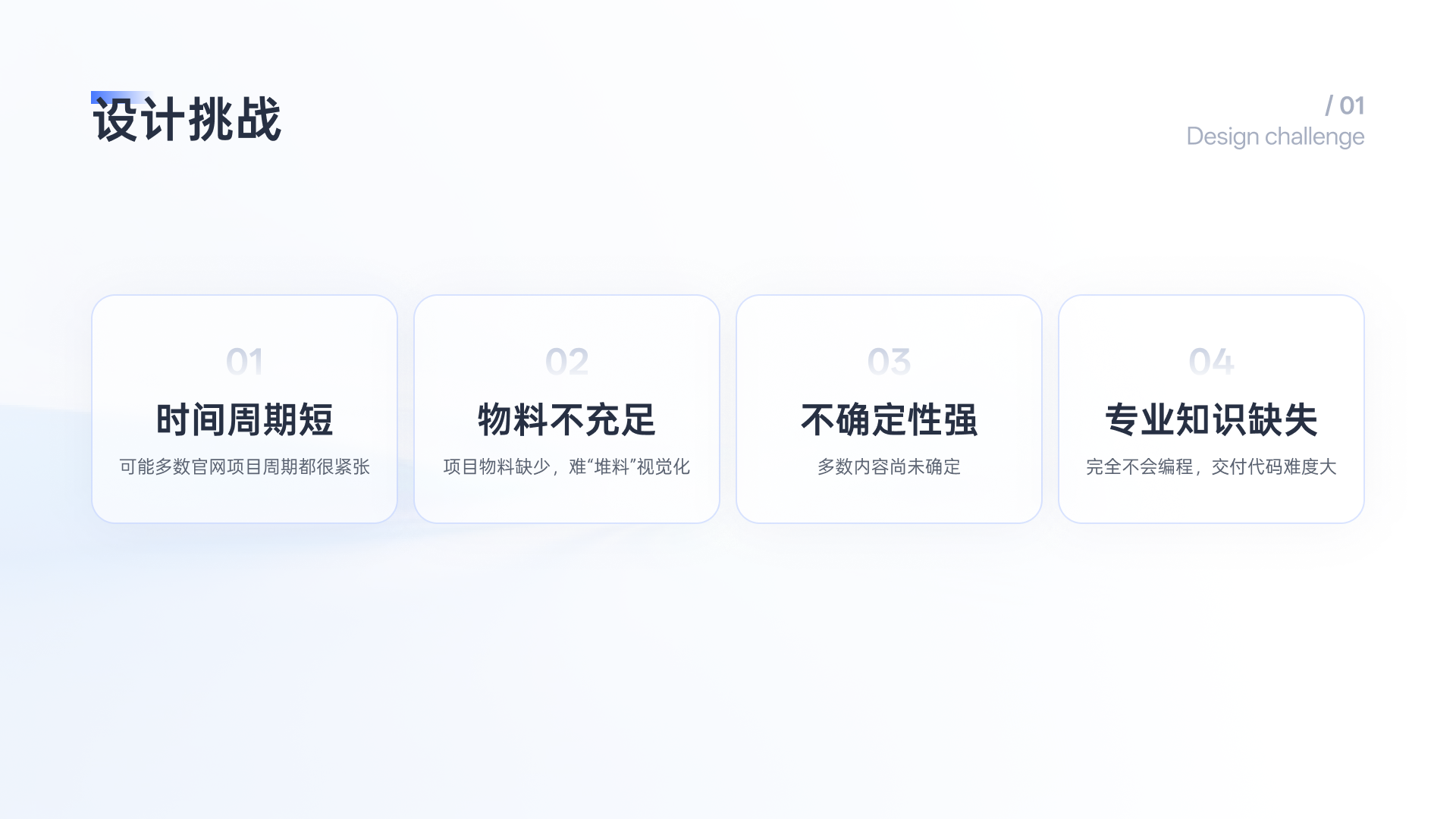
Short Time Frame
Because the time frames for multiple official website projects were all very tight, I needed to complete high-quality designs within limited time. This required me to make decisions quickly during the design phase and collaborate efficiently with the development team to ensure on-time delivery.
Insufficient Materials
In the early stage of the project, the lack of complete design materials and visual references created considerable difficulties during the design process. Especially when doing "visual-only" design, the absence of clear materials affected the precision and aesthetics of the design, so I needed to make full use of existing resources and seek more support through communication.
High Uncertainty
The project involved multiple undetermined elements, especially in design direction and functional requirements. This uncertainty not only affected the overall design framework but also required me to quickly adapt and flexibly adjust design plans to respond to changing requirements.
Lack of Professional Knowledge
As a designer, I have no coding background, so when facing tasks that required code delivery, I relied entirely on the support of the front-end team. This made the entire design delivery process more challenging for me, requiring me to fill gaps in professional knowledge and do my best to ensure the delivered code met design requirements and that team collaboration remained efficient.
Workflow
In any project's design phase, how to efficiently move from concept to actual delivery is a crucial topic. Through continuous optimization and adjustment, we built a standardized design process to ensure that every step, from the generation of the Product Requirements Document (PRD) to the final code delivery, is precise and efficient. Below is my complete design process:
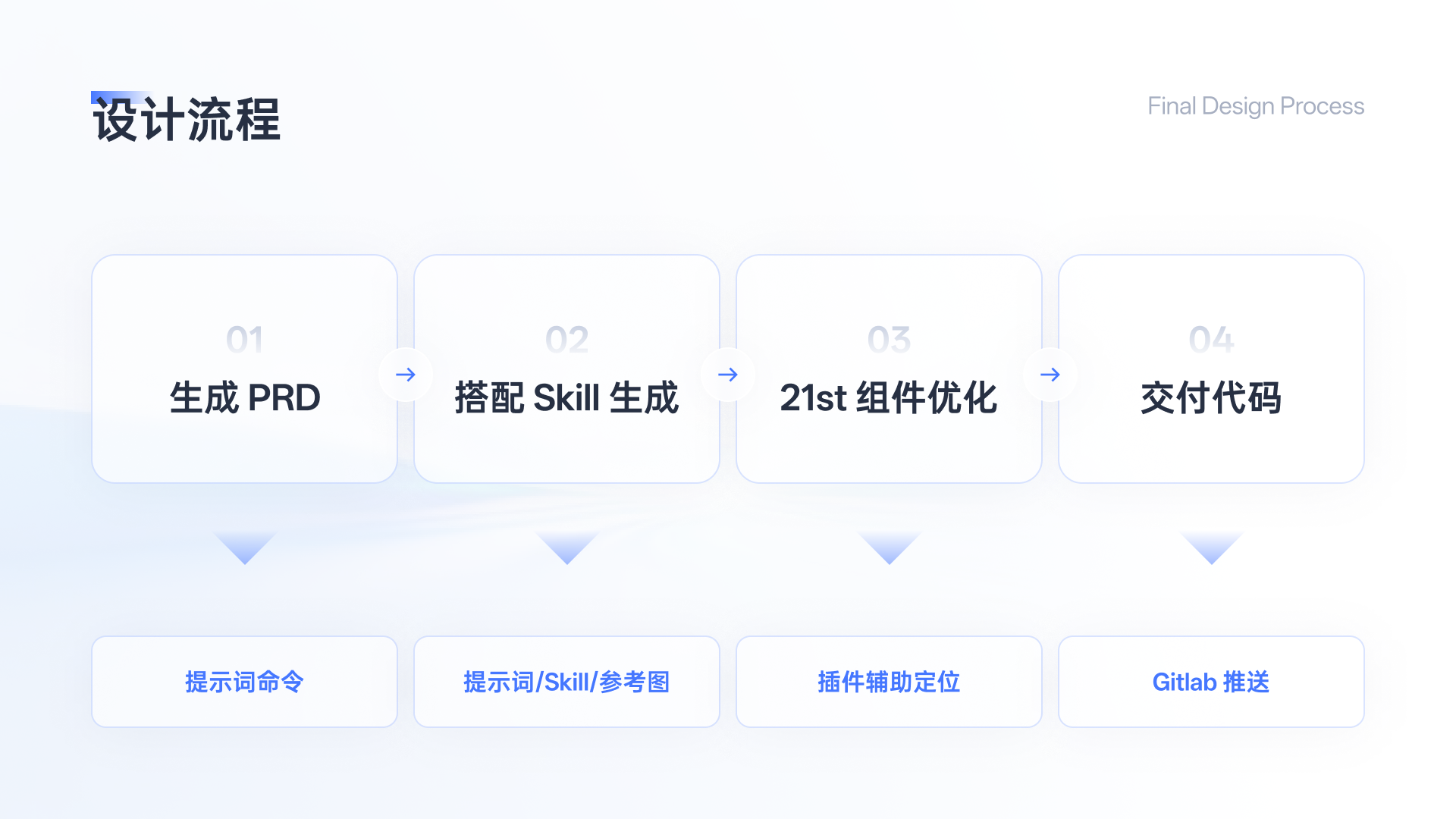
Generate the PRD
The first step of the design process is to generate theProduct Requirements Document(PRD). This is the foundation of all design and development work, clarifying the project goals, functional requirements, technical framework, and design direction. At this stage, all team members gain a clear understanding of the project goals, laying a solid foundation for subsequent work.
Note that codex is an AI that loves to be "verbose," so it will write a huge amount of copy in the official website PRD. You need to tell it in the prompt or after output to reduce the word count; otherwise, you will end up with an essay in HTML form.
Generate with Skills
After clarifying the product requirements, the design phase next needs to be paired with relevant skills and resources. We combine design and technology to generateSkills(i.e., workflow automation scripts or tools) that closely match project requirements. The core goal of this stage is to improve project automation and efficiency through the combination of skills and tools, thereby reducing manual operations and repetitive work.
In addition to skills, prompts are also crucial. Here I suggest adding the following content to the prompt:
Use the React framework with Tailwind CSS;
If using components, prioritize the shadcnUI component library, official website link:The Foundation for your Design System - shadcn/ui;
Keep the interface style clean and fresh, without excessive text accumulation;
Do not mix Chinese and English; use Chinese by default, and use English only for proper nouns that cannot be translated;
At the same time, pair it with certain reference images, just as I wrote in the article "The new god codex in the current version, everything you need is here!"
Visual Optimization
In the middle stage of the project, we began optimizing the 21st components used. The focus of this optimization is to ensure the efficiency and consistency of each component, especially consistency in visual style and functionality. Through adjustments at this stage, we can ensure that the final design's user experience and interface effects reach the best state, and that components can seamlessly connect with back-end code.
Note here that you should tell the AI in the prompt to retain the text information and only modify the module's style and layout. This is very important!
I've put the component website link here:
React Components, Templates & Themes — 12,000+ Crafted UI | 21st
In addition, for animation effects, you can use react bit:
React Bits - Animated UI Components For React
Of course, there is much more content that can be used to build official websites—atomic, modular, and templated options are all available. I have listed them here:
Title | Type | Link | Pricing |
|---|---|---|---|
MagicUI | Components | Partially paid | |
AceternityUI | Components | Partially paid | |
21st | Components | Roughly free | |
Reactbits | Components | Free | |
ShadcnBlocks | Modules | Partially paid | |
Preline Blocks | Modules | Partially paid |
Here I recommend my small plugin, which can help you adjust websites in Codex like in Figma and then hand the changes to AI to reproduce:chromewebstore.google.com
Performance Issues
Do not rely too much on 21st's hero, background, and similar components, because they all use canvas, generally with the WebGL engine. Many of the animation effects are rendered locally in real time on the user's computer. Opening your website may freeze it directly, and you may even noticeably feel lag during development. Canvas itself is a technically very demanding thing; even major companies may need a dedicated technical team to optimize algorithms, which shows how significant its performance issues are (Feishu Base is entirely rendered on a canvas).
For this reason, never rely excessively on components with so many animations like hero, or your performance issues will definitely follow!
Deliver Code
Finally, after the design is complete, enter the code delivery stage. At this point, the design draft is transformed into usablefront-end codeand pushed and delivered through version control systems (such as GitLab, Github). Designers and the development team work closely together to ensure that the final delivered code meets design specifications and can be smoothly applied in actual development work.
Summary
Through this standardized process, we can ensure a balance between design quality and development efficiency within tight project timelines, ensuring efficient handoff at every stage and thus achieving rapid launch and delivery of projects. This not only improves collaboration efficiency between teams but also provides strong support for the smooth progress of projects.
61 likes
You can like once today