Ever since I was in college, influenced by many overseas designers, I always wanted a personal website of my own. But back then there was no AI—if you wanted a personal website, you either used a low-code platform like Wix or coded it yourself, and everything from the domain to deployment was a problem.
Fortunately, it's 2026 now, and AI paired with Agent capabilities has become very powerful. I can finally realize my dream of making a personal website. This article covers my entire process of making the site, and you're also welcome to keep browsing my personal website:Niallspace — Design, but more than design.
At the very beginning I said just one sentence: "I want to make a personal website." That really was all—it was that simple. Then I threw all the links related to myself from Wolai to Codex, and we started talking.
I worked on this project on and off for over half a month. When I was busy, I'd start at around nine in the morning and keep going until past two in the morning. In the end, the main site, blog, data dashboard, and deployment were all done, and what I said to Codex became very simple again: "Deploy it for me."
Only two sentences at the start and the end, but a lot happened in between. I had to choose the content myself, do the design myself, and review the pages over and over. When it came to things like servers, OSS, and RAM permissions, I had no idea at all—I could only screenshot the pages for the AI, and it told me one step at a time. I won't go into what exactly is on the website here; I mainly want to write down the making process.

From One Sentence to a Website Skeleton
I Already Have Plenty of Content—So Why Make a Website?
My Wolai already holds a lot of things: knowledge base, blog, Vibe Coding projects I've done, AI workflows, Skills I've built, design project retrospectives—basically everything I normally record is in there, hundreds of thousands of words in total. But Wolai is more suited to my own reading. Pages can be shared, but once opened they're still documents. I have limited control over where others start reading and where they go next, and it's hard to express personal aesthetics and image through a string of document links. I've always liked the personal websites of some overseas creators. A website has their works, articles, and thoughts, and the pages themselves reveal the person's aesthetics. I've always wanted a personal site and blog of my own, but in the past, thinking about development, servers, and such, I never continued. This time I had Codex, so I chatted with it first. At the beginning I only said personal website; later, through chatting, it gradually became a personal collection with a homepage, works, about, workflows, blog, and other things I've made. This content will keep being updated, so it needs a server, and a dynamic website.
First, Let Codex Understand the Materials I Have
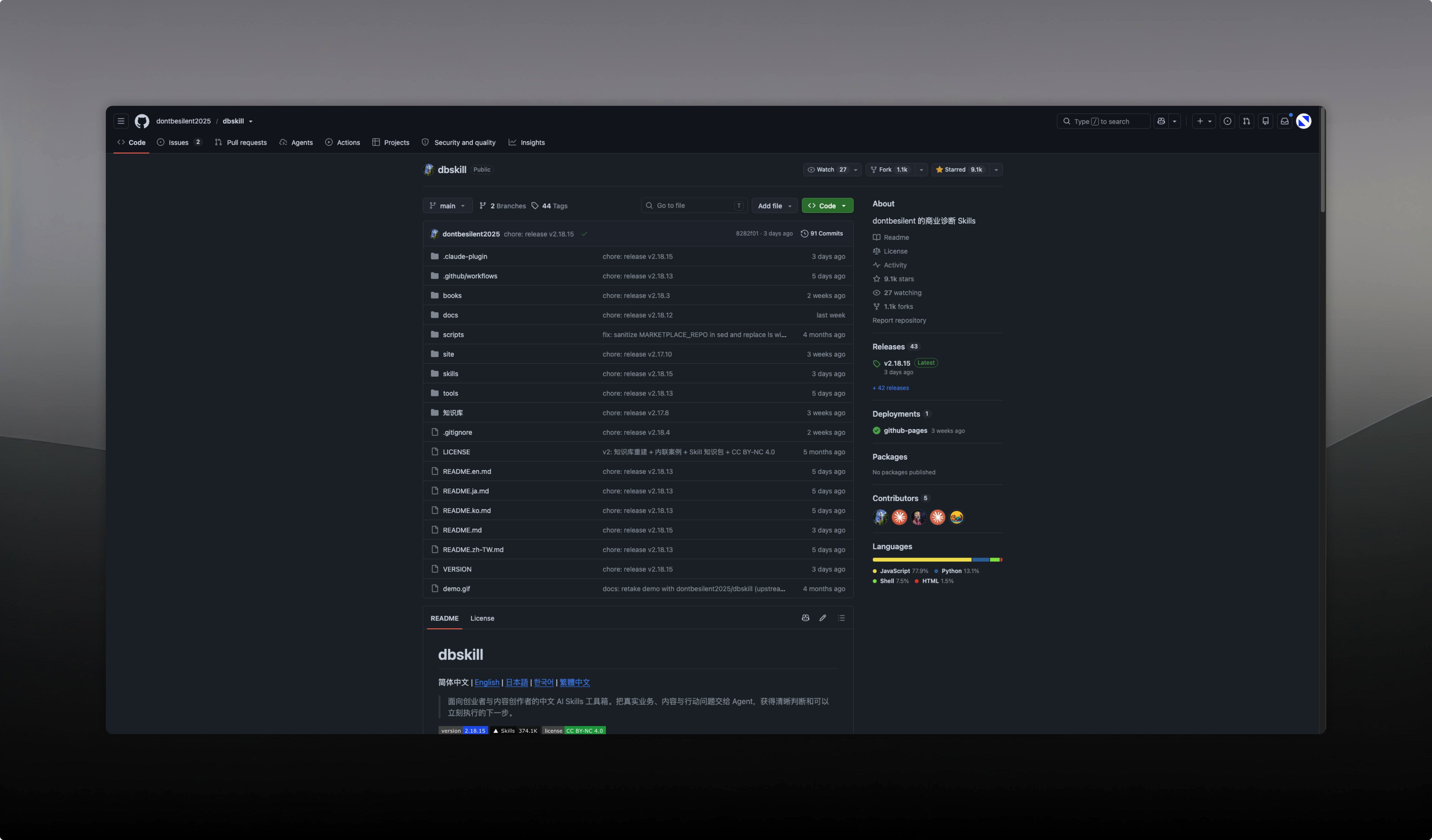
Once the direction was roughly set, I sent the Wolai links to Codex. Wolai has an official MCP; after I configured it, Codex could read the pages directly without copying hundreds of thousands of words over again. It could see my blog, projects, and retrospectives—at least it wouldn't just guess randomly based on the sentence "I want to make a personal website." Wolai is just my source of materials here; there's nothing you must use it for. You can switch to Notion, Feishu, Yuque, or local files. If you don't have documents on hand, you can also send the projects you've done to the AI first and let it keep asking questions. Once the materials could be read, there was another question: with so much stuff, what exactly should go on the site? I used the DB Skill to find the parts related to the website from this content, and to help me sort out the site's purpose, what I wanted to show, and what the homepage should let people see first.
DB Skill Filters, Canvasight Structures
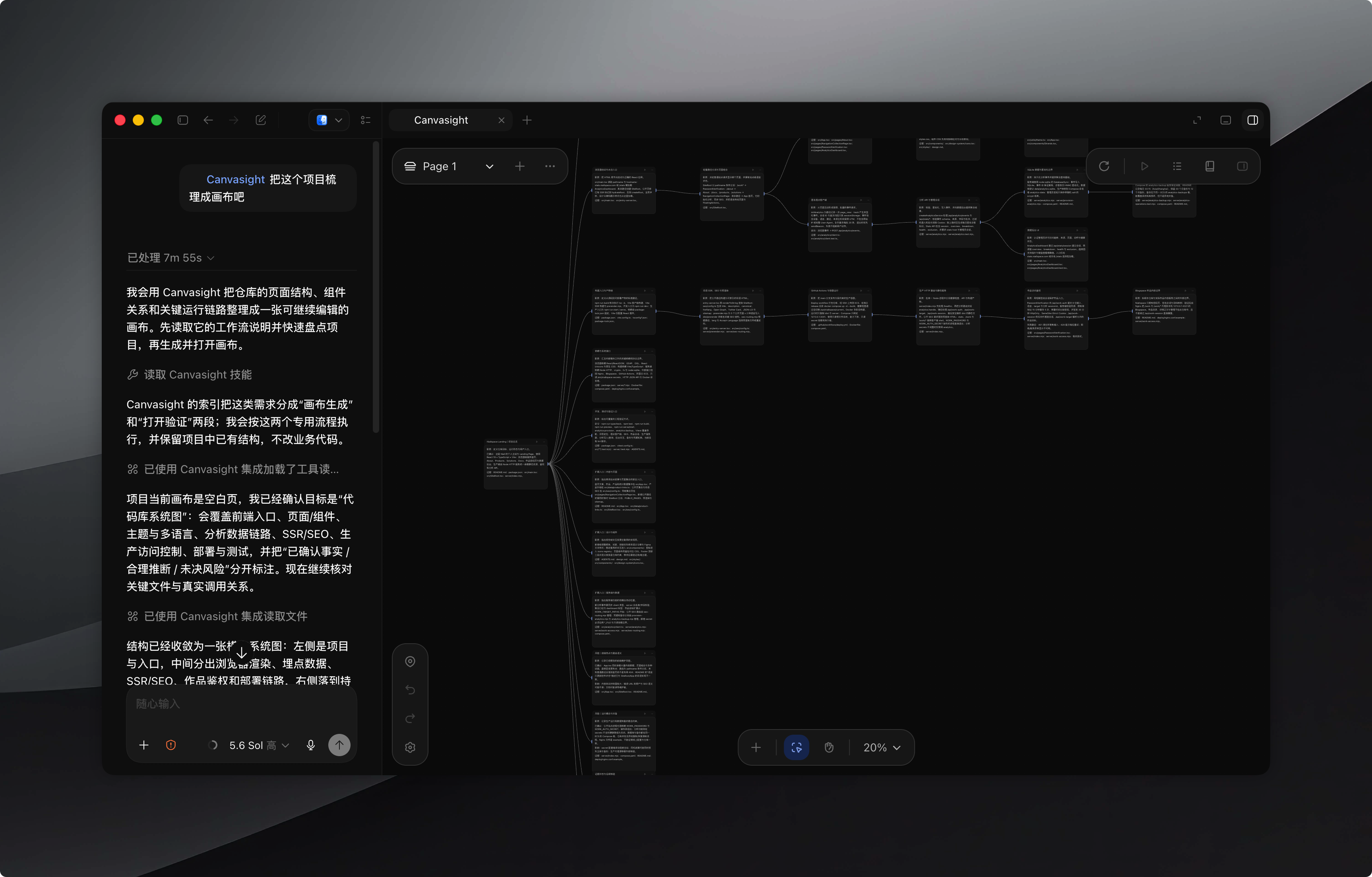
After DB Skill finished processing, I used Canvasight to continue organizing. How to divide homepage, works, about, and workflows; what to write on each page; which content gets its own page; which just gets an entry point—all arranged on the canvas. Canvasight handles structure, while DB Skill did the filtering earlier; these two serve different purposes. After organizing the canvas, I had Codex directly make a prototype. Pretty ugly, to be honest. But the website skeleton was basically there—homepage, works, about, workflows, plus the first draft of copy. I clicked through all these pages, changed the order of entry points, changed the copy, and also deleted some content that didn't seem interesting once placed on the site. At that time I wasn't planning to turn all the content into web pages at once—many entry points still jumped straight to Wolai. I'd get the main site done first and then talk.
From Ugly Prototype to Formal Design
The Prototype Is Only for Confirming Content and Scope
I didn't immediately throw out the first prototype. First I clicked through every clickable spot to see if any pages were missing, whether the order of entry points was right, and whether the copy still made sense once placed on the page. Only after the changes became fewer did I move into Figma, so I wouldn't be drawing the formal design while still guessing what should go on the site. That ugly prototype also clarified the work ahead: which pages to build, which content temporarily links out, which components will appear repeatedly—all visible in advance.
Reference Sites and Two Sets of Images for Light and Dark
I'm a designer, so I still handle the visual part myself. I found lots of references, including xAI, Cursor, Raycast, Dia, and some personal designer websites I really like. I saved webpage screenshots in Eagle and kept them beside me while designing. I didn't pick one website to copy completely; I mainly looked at how they handle typography, whitespace, images, and interaction. Where the assets didn't fit, I generated them with Image 2. The website has light and dark modes, so I prepared two sets of images and switch to the corresponding assets when toggling themes. There's nothing special to expand on about the prompts—whatever was missing, I made according to what the page needed. Later in the article I'll pick a few reference images from Eagle and place them next to the corresponding designs to show what was ultimately used.
First, Write the Figma Design System into Code Rules
I do design in a fairly engineering-minded way—I build variables, text styles, and components first, then draw specific pages. After finishing the design in Figma, I first had Codex generate a design.md through the Figma MCP. It contained the color variables for light and dark modes, font sizes, line heights, corner radii, and information about components like Button, Segmented, Link, Navigation, and Footer. The things in Figma first became code-side documentation, which Codex could consult directly during development later.
The project uses React. I told Codex to use React Unicons for the icon library, and to build base components in the headless style of shadcn/ui. The order was components first, then pages: buttons, links, navigation first, and after I reviewed them, continue. After the components were done, I added a requirement in AGENTS.md : once Figma MCP reads the pages, it must use the components and variables already built in the project, and is not allowed to hastily make a similar style.
When AI builds the first page it writes a button, and when it builds the second page it writes another one; viewed separately, both are fine, but put together there are subtle differences. Now the components are fixed first, and pages only handle composition; light and dark modes are also checked on the components first. After the page is reproduced, I look at visual issues, Codex changes the code and runs tests, and then checks whether other pages are affected. I've written an article before about this Figma-to-development process:"How to Vibe Code Your Own Polished Product and Website". This website was also built in the order of variables and styles, base components, then specific pages.

Putting the Main Site on a Server
Reusing an Already-Filed Domain and Alibaba Cloud Server
I already had the niallspace.com domain before, and the ICP filing was already done. The server was an Alibaba Cloud ECS I bought back then, so this time I didn't buy a new domain, nor did I have to wait for the main domain's filing again.
For domain purchase, real-name verification, ICP filing, and public security filing, you can check Alibaba Cloud's official documentation:https://help.aliyun.com/zh/icp-filing/basic-icp-service/the-public-security-network-for-the-record-information-fill-in-the-guide?spm=a2c4g.11186623.0.0.3f9c4b7cmNMWxT;
For purchasing an SSL certificate, you can consider buying from this website:https://trust.88sup.com/
Codex Operates Directly, I Handle Accounts and Permissions
The server part was basically Codex guiding me along with Computer Use and Chrome. It can handle console operations that have no security concerns. When it comes to logins, payments, keys, and authorization, I click myself. If I don't understand a page, I screenshot it for it and directly ask what to fill in and where to click next.
My approach is simple. If the operation goal is clear, can be checked afterward, and is easy to recover from if it fails, let the AI do it directly. When it involves payments, the main account, keys, and adding permissions, I operate myself. If I don't understand the risk, I stop first, screenshot, and ask. After the main site first ran on the server, we then configured SSL and HTTPS. First check domain resolution, then check whether the service is accessible, and finally check the certificate. For pages and configuration results I don't understand, I send them to Codex to look at.

A One-Sentence Command Can Execute Because It Was Configured Once Before
A lot of the work here can ultimately become a one-sentence command, but the first time configuring it still has to be done item by item. Codex can operate, and can also tell me how to operate; whether the website is ultimately accessible and whether the pages have problems—I verify that myself. When deploying again later, there's no need to go through the Alibaba Cloud console all over again—that's also the prerequisite for the final sentence "Deploy it for me" being executable.
Keep Adding Things After the Main Site Goes Live
First Use Plan Mode to Build the Analytics Dashboard
After the main site went live, I first built the analytics dashboard. In Plan mode, I listed with Codex the data I wanted to see, such as which works people clicked, which products and resources were opened, whether anyone used the contact info, and where traffic came from. After listing, I built the events and the dashboard. Now the dashboard records page visits, clicks on CTAs, works, products, resources, and social entry points, as well as contact info opens, WeChat or email selection, and whether copying succeeded. The dashboard is at stats.niallspace.com, with data stored in SQLite and backed up daily. Privacy-related fields were also confirmed together in Plan: the front end uses no cookies or persistent visitor identifiers, and does not save raw IPs, full User-Agents, or full referrer URLs; admin login uses a separate secure cookie. I wouldn't have thought of these things myself at first; after Codex listed them, I confirmed them.
After the Main Site Was Done, Wolai Jumps Started to Feel Disjointed
In the earliest main site, many of the works, blog, and workflow links jumped to Wolai. This was indeed fast for the first version, but after the main site was done, clicking in would suddenly take you back to Wolai, and the typography, images, and reading experience built earlier were gone. Later I changed all this content into web pages, starting with the blog. At first I even planned to give each content type its own subdomain—blog., harness., codex., ai.—which looked quite neat. But it turned out that, with the way I bought certificates at the time, each one would need another SSL certificate, a bit pricey, hehe. In the end I put them all under doc.niallspace.com and distinguished them with /blog, /harness, /codex, and /ai. They share the dashboard, database, and OSS, with content separated by type.
Sharing One Content Dashboard
The content system uses Astro for server-side rendering, React for interactions, Tiptap for the editor, and still SQLite for data. My requirement for Codex was that several content types share the dashboard, have separate access paths, and continue using the main site's design; the specific technology was its choice. Blog, Harness, Codex, and AI are all in this one system; when publishing content, you select the corresponding type, and the front end displays it by route.
Article Import Changed from Copy-Paste to the Wolai API
What took quite a bit of time here was article import and OSS permissions—about an afternoon. At first I thought it would be simple: in Wolai, Cmd+A, Cmd+V, copy the whole article into the dashboard, and then have the AI build a feature that automatically uploads images to OSS when it encounters them.
But image uploads failed many times. At first it was said there was too much concurrency, so we changed concurrency, and there were still problems. Later the AI said the copied images might depend on HTML tags, or that we might be getting temporary addresses, and there were also issues with login state and cross-origin. I still don't fully understand which layer exactly it was, but the copy-paste path was always unstable.
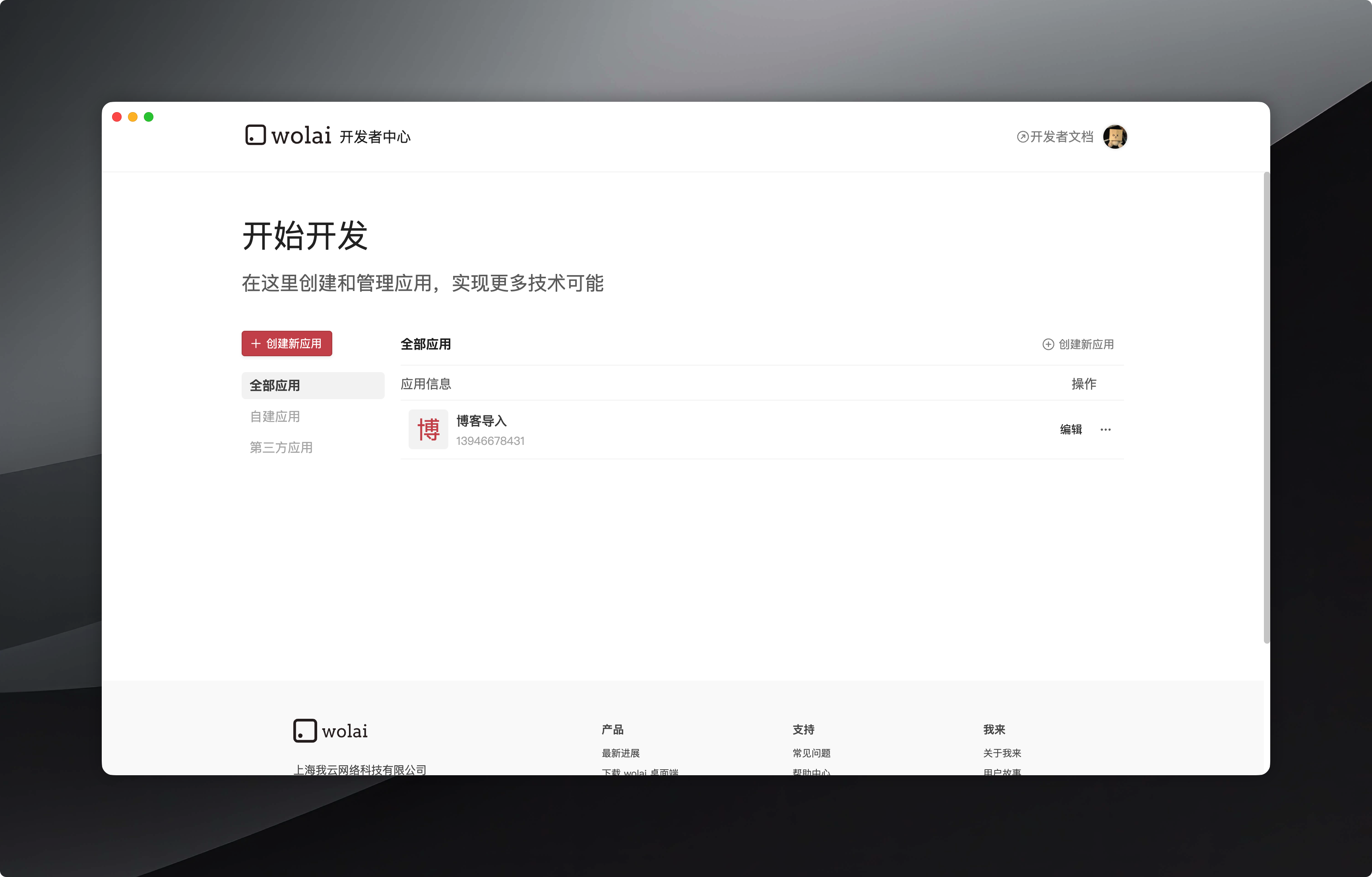
In the end I configured an app in Wolai, got the API, and deployed it to the server. Now I just paste the article link in the Blogspace dashboard and click import. The server reads the Wolai page and the content blocks below it, reassembles the body text, downloads images and stores them in OSS, and finally generates a draft. I later added a lot to the import logic: the same image is reused by content, repeated imports don't keep generating new articles, and blocks like text, headings, images, lists, code, tables, bookmarks, and columns also need to be converted separately.
After import is complete, I still preview it. Some Wolai formats aren't entirely standard Markdown—for example, links can display as cards, and occasionally they come over wrong. I publish only after checking that it's fine. Wolai import is just my own approach; with Notion, Feishu, Yuque, or writing directly in the dashboard, the import method changes—there's no need to switch to Wolai first.
Deployment, Permissions, and Ongoing Maintenance
Code and Content Go Through Two Release Pipelines
The main site is connected to GitHub. After code is pushed to the main branch, GitHub Actions automatically packages it, uploads it to Alibaba Cloud ECS via SSH, then updates the service with Docker Compose and checks health status. The application only listens on the server's local port; external access comes in through Nginx.
Content goes through another pipeline. In the Blogspace dashboard I paste the Wolai link, import, preview, and publish. Before deploying the content system, the database is backed up first; if the new version fails its health check, it switches back to the previous version. Daily maintenance now is just these two paths: when the main site changes, push main, and when an article changes, import and publish in the dashboard; those earlier server operations don't need to be redone each time.
OSS Permissions, Keys, and Backups
OSS RAM permissions were configured together while doing article import. We created a separate credential with only the necessary OSS operations open, without using Alibaba Cloud main account permissions. The key is stored in the server configuration, never in Git, and never appears in deployment logs. I don't understand any of these permissions—if I checked too few, images couldn't upload; if I checked too many, I wouldn't know what I'd opened up. I could only screenshot items one by one for the AI to tell me how to configure it.
The analytics database gets a consistency backup every day, retaining 30 daily backups and 12 monthly backups, currently still on the same ECS. Blogspace is also backed up daily and can be uploaded to private OSS after configuration. The main site has health checks and historical release directories, but the code doesn't yet have automatic recovery logic as explicit as the content system's; that part will be added later.
One Year's Cost and Over Half a Month of Time
Domain, Alibaba Cloud server, and SSL cost about 300+ yuan a year. This number doesn't include Codex, Figma, or Eagle—those are subscriptions I was already using. Time isn't counted either: the whole project was done on and off for over half a month, and when busy I worked from around nine in the morning to past two in the morning every day.
I still don't understand a lot of the technology. Without Codex, I probably wouldn't have continued with the ops part. With AI, I still have to judge myself, take screenshots, wait for it to execute, look at the results, and try another approach if it fails.
Retrospective
Many decisions on this website only emerged after the previous step was done. After the prototype, I continued changing the content structure; after the main site was done, I turned Wolai content into web pages; after copy-paste kept failing, I connected the API. Get the first version out, and the later problems will appear.
Looking back at the whole process, the order was roughly:
Give my materials to AI first—if there's a lot, filter it; if there's little, fill it in while chatting;
Organize the website structure, make a clickable prototype, then do the formal design;
During development, write the variables, components, and rules clearly;
When it comes to deployment and permissions, let AI operate what it can, and handle what needs my own confirmation myself.
As for tools for acquiring materials, organizing information, and so on, you can switch to whatever you like; Wolai, Canvasight, and Alibaba Cloud are just what I used this time.
I didn't spend less time, but I could do a lot more. Content and design are what I would have done anyway; development and ops were things I used to give up on directly, and this time I finished them bit by bit with Codex. The first sentence was "I want to make a personal website," and over half a month later, this website actually went live.

45 likes
You can like once today