Starting from the problem that parallel agents still demand constant terminal watching, this covers Orca's worktree isolation, orchestration layering and engineering constraints, then presents Orca Autopilot's asynchronous pipeline from issue creation through review, CI and merge, leaving people to define requirements and make decisions.
When I wrote "at the end of 8I Packed Multi-Agent Programming into Orca", I had just unified command-line agents like Claude Code and Codex into Orca's workspace, using Git Worktree to solve the problem of multiple tasks running in parallel without conflict.
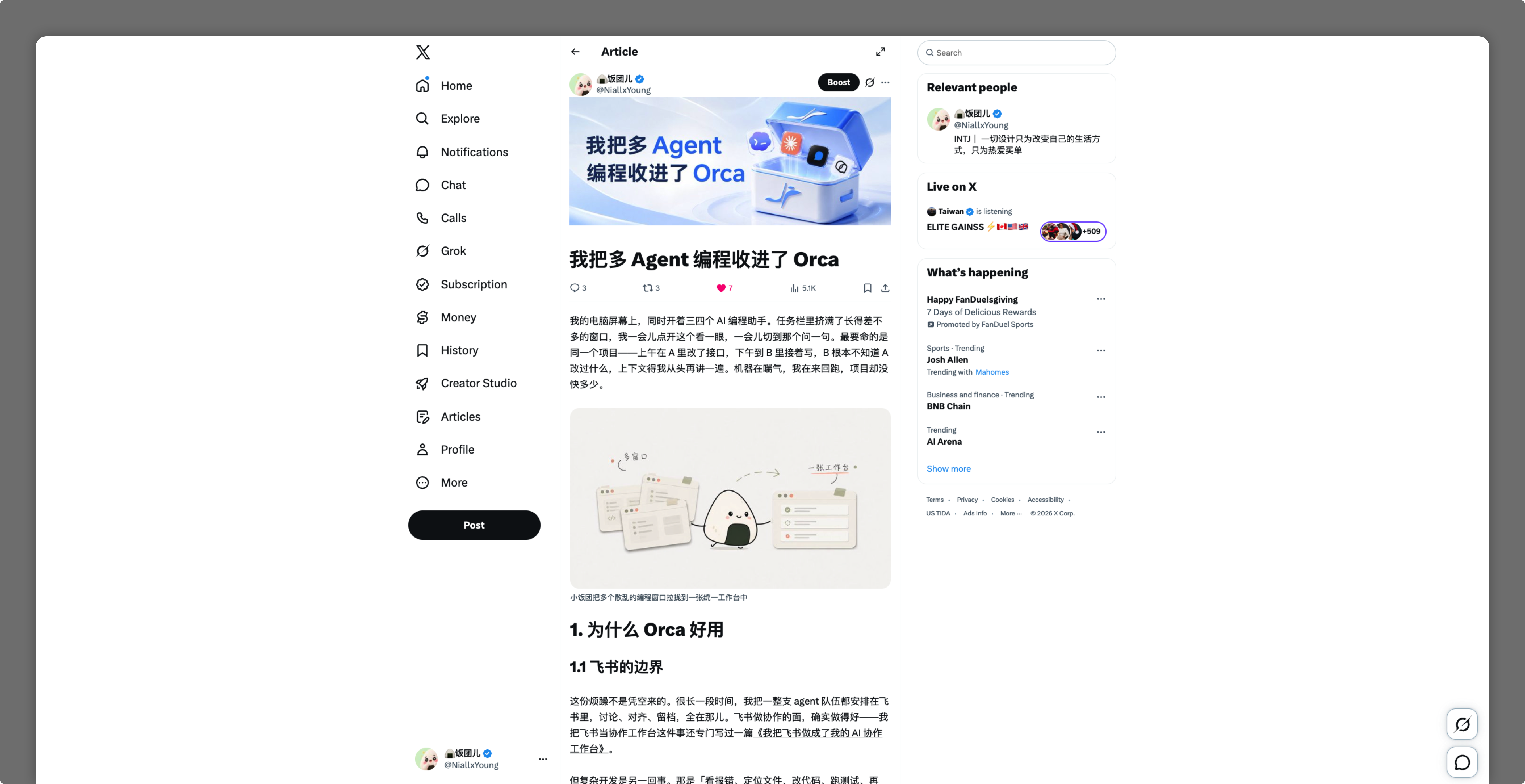
But the working style back then was essentially "parallel manual driving"—although I had several agents running at once, I still had to switch back and forth between Agent tabs: constantly checking which agent had finished its task, whether any agent was stuck on a permission confirmation, which agent had finished editing code but hadn't opened a PR yet, and whether some task's CI had failed and needed fixing. The more windows there were, the more fragmented my attention became; sometimes I had opened so many that I couldn't keep up with acceptance and review.

Over the past two months, I've been thinking about how to take this one step further: after submitting a requirement, can I stop paying attention to every single Agent Tab in Orca?
So, based on Orca's underlying orchestration capabilities, I wrote a set of open-source plugins and a pure-terminal console called Orca Autopilot. This article is a complete update to the previous one, documenting my rethinking of multi-agent development scenarios, a breakdown of Orca's core mechanisms, and the concrete implementation of this automated workflow.
In the multi-agent era, where is the bottleneck in development efficiency?
Now that AI programming tools have reached their current stage, a single agent's ability to solve localized coding problems is already sufficient. But in real day-to-day iteration, development efficiency often gets stuck on three steps beyond coding.
The first is serial waiting and context rebuilding. In the traditional single-window chat mode, only one task can move forward at a time. If a bug needs a quick fix while I'm developing a new feature, I have to manually run git stash, switch branches, or create a new directory; once I switch back and forth between multiple tasks, my memory of the code state and the actual branch state in the terminal easily diverge.
The second is the fragmented operations of the wrap-up process. After an agent writes code and passes local tests, there's still code review, writing a commit message, pushing the branch, creating a PR, waiting for CI checks, handling trunk merge conflicts, and performing the merge. These steps are highly deterministic, but if every step requires a person to stare at the terminal and manually trigger or confirm it, time still gets chopped into pieces.
The last is an unclear human-machine boundary. Automated workflows most easily fall into two extremes: either every tiny detail pops up a dialog asking for confirmation, so the person still can't escape the terminal; or the workflow silently stalls when it hits requirement ambiguity or an error, or even merges code incorrectly without constraints.
Therefore, in multi-agent collaboration scenarios, the human role should converge to two points: clearly defining requirements and acceptance criteria at the start, and making decisions when permission approvals, plan disagreements, or abnormal circuit breakers occur. The entire chain—from task decomposition, coding, self-testing, and independent review to opening a PR, passing CI, and merging into the trunk—should be left to a background pipeline for asynchronous execution.
Why choose Orca as the development foundation
To support multitasking concurrency and background asynchronous flow, isolated terminal windows or the sidebars of traditional IDEs can hardly meet the need.
As I said in the article mentioned at the beginning, I moved my daily development environment to Orca. It positions itself as an ADE and isn't tied to a single model vendor; instead, it lets developers use their own subscription accounts to host multiple command-line agents such as Claude Code, Codex, and OpenCode in the same workspace.
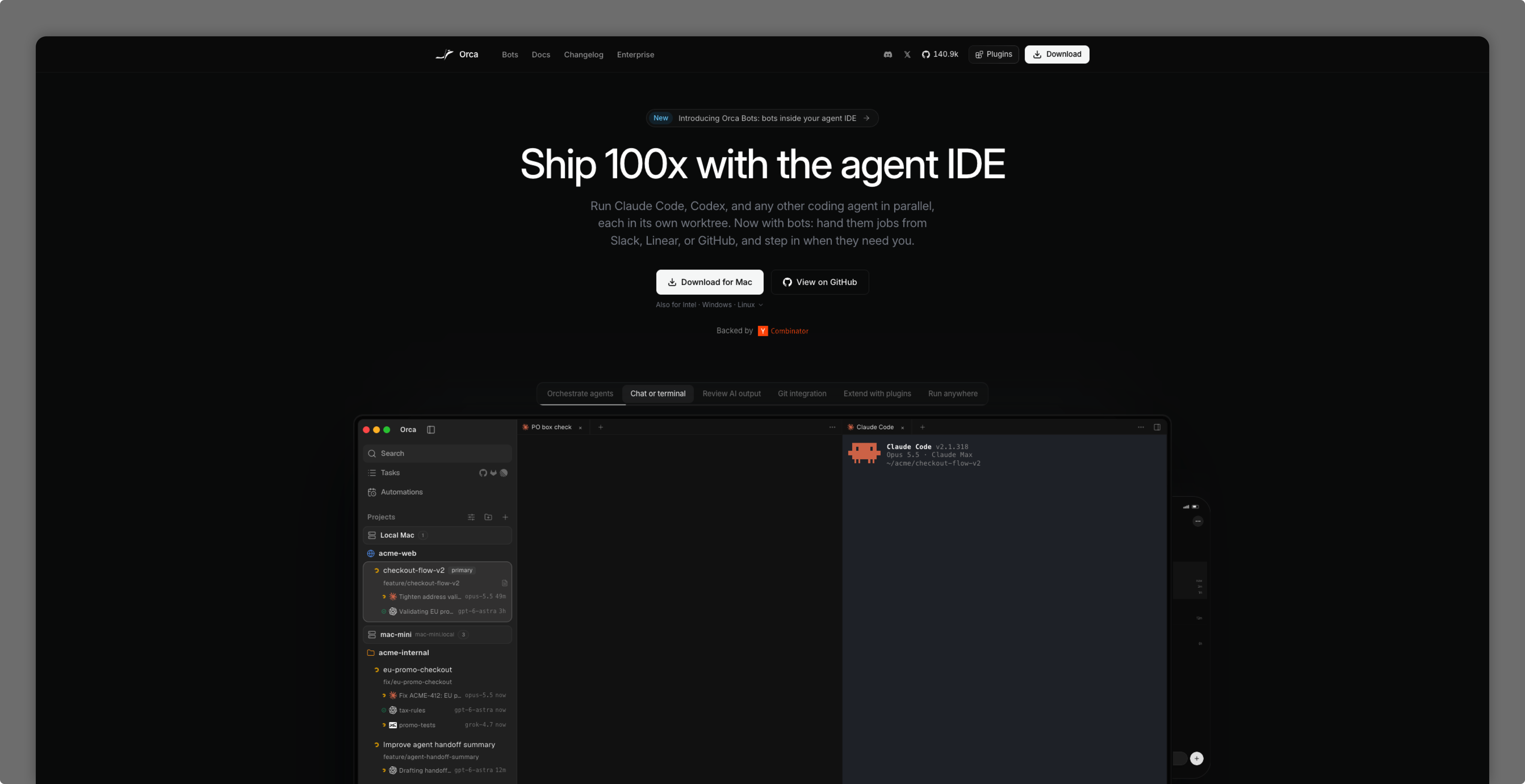
Orca has four underlying engineering designs that directly support the automated construction of the upper-layer workflow.
Native Git Worktree isolation
The most direct risk of multi-agent parallel development is file modification conflicts—two agents reading and writing the same working directory at the same time will cause state chaos. Git Worktree is a multi-working-directory mechanism natively provided by Git. It allows multiple independent directories to be checked out based on the same local repository, with each directory corresponding to a different branch, sharing the underlying Git history object database, while the workspace files are completely physically isolated.
Orca treats Worktree as a core object, and each task or Issue can be directly bound to an independent child Worktree. Multiple agents modify code and run tests in their own independent directories without interfering with each other, and without affecting the developer's current working state in the main directory; after a task is merged, the temporary Worktree can also be automatically cleaned up.
Layered model of orchestrator and executor
When the number of concurrent tasks increases, it is necessary to distinguish global scheduling from specific execution. In Orca's orchestration mechanism, a Worker (executor) is an agent session focused on a single task, which completes modifications in an isolated Worktree and then ends its lifecycle; the Orchestrator (coordinator) acts as the control plane, does not directly write business code, but is responsible for reading the task queue, dispatching Workers, monitoring running status, and raising decision requests upward through the standard ask / reply protocol when human intervention is needed.
Deterministic engineering constraints
The output of large language models is inherently probabilistic and divergent. When implemented in engineering, it is necessary to build a constraint system through external scripts, state machines, Git hooks, and test gates, so as to confine the model's capabilities to a predictable engineering track.
Highly programmable interfaces and built-in scheduling
Almost all workspace operations in Orca can be invoked programmatically through the orca CLI with the --json parameter. At the same time, it natively includes a scheduled Automation scheduler (without relying on external crontab or system daemons), a programmable browser, and plugin APIs such as the status bar and desktop notifications. This allows R&D standards to be integrated directly into the workspace through code.
Four-layer architecture implementation of Orca Autopilot
In the article from 8 month, I already introduced an automated development workflow in Orca that automatically pulls issues. The new iteration of Autopilot has even better improvements.
Autopilot consists of an Orca status bar plugin, a zero-external-dependency pure-terminal full-screen console (TUI), and 4 independently callable Agent Skills.
Its core operating chain is: enter a one-sentence requirement in the terminal and generate a standardized GitHub Issue; the system then concurrently dispatches Workers in isolated Worktrees to fix it and starts an independent Reviewer for review; next it automatically creates a PR, polls CI status, handles branch conflicts, and performs a Squash Merge into the main branch, converging only the items requiring human confirmation into the "Pending" queue. In terms of specific design, the entire system is divided into four layers.
Pure-terminal interaction entry point
To avoid frequently switching to a heavy graphical panel when checking background status, the orca-autopilot console uses pure-terminal full-screen rendering and does not depend on external UI frameworks. It can be started by executing the command in any project directory bound to a GitHub repository, or invoked in the Orca interface via the shortcut Cmd+Shift+I or by clicking the badge in the bottom status bar.
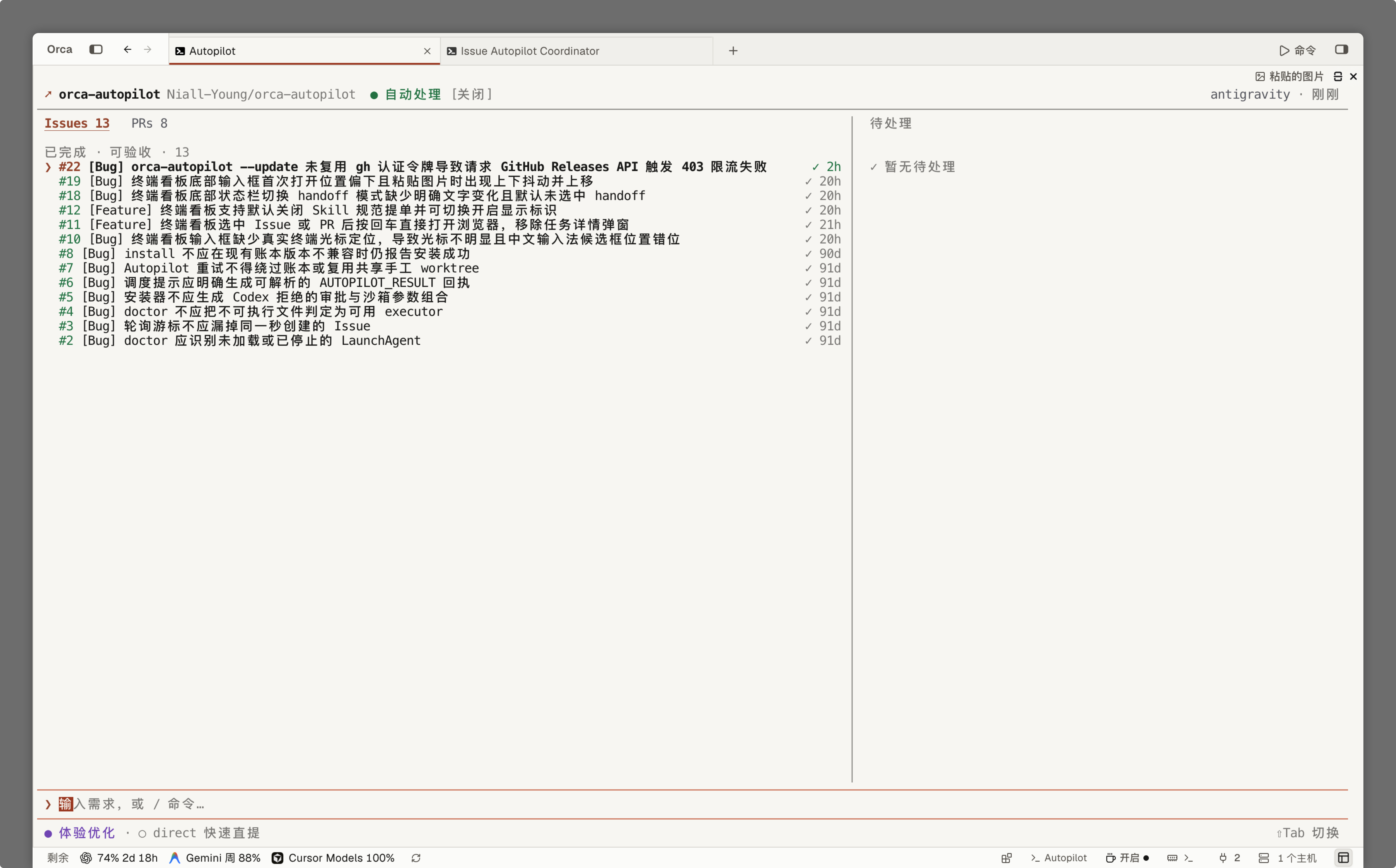
In terms of interaction details, the terminal supports the SGR mouse protocol (you can directly click tabs, buttons, and scroll lists), supports dragging in local files directly, and also supports pasting screenshots from the macOS clipboard into the input box via Ctrl+V (generating an inline attachment marker, press Backspace can be deleted as a whole block).
For development needs of different granularities, the entry point provides three working modes, which can be switched via the bottom status bar or by entering the /handoff, /direct, and /local commands. Below I will introduce these three modes:
In the default handoff mode, the developer only needs to enter a colloquial requirement description; the system automatically invokes the github-issue-handoff Skill to scan the current repository state, search historical Issues for duplicates, apply the repository template, and complete executable acceptance criteria, then creates a formal GitHub Issue after confirmation.
When the requirement is already very clear, you can switch to direct mode to skip the organization step and create the issue directly.
For temporary small changes such as modifying copy or fine-tuning styles, you can switch to local mode—it does not create an Issue or open a sub-Worktree, but directly launches a single session on the current branch to complete the modification, and automatically performs commit, rebase, and push; during this period the system writes a local direct-edit lock to prevent the background auto-merge process from conflicting with the current local operation on the branch.
Unattended background closed-loop pipeline
After the requirement is converted into a GitHub Issue with the agent-ready label, the subsequent process is taken over by the background issue_watcher.py and autopilot_admin.py, and no one needs to watch the terminal anymore.
First is the lightweight model-free patrol. Orca's native Automation triggers a pre-check script every 3 minutes; the script directly queries GitHub Issue status and the local ledger through code, and only wakes the Agent coordinator when it finds pending tasks that match the policy and the coordinator is currently absent. When there are no new tasks, background standby consumes no model Tokens.
Second is concurrent scheduling and dependency graph resolution. The scheduler allows at most 3 tasks to run concurrently in their respective Orca sub-Worktrees, without touching the main worktree at all. If multiple Issues have a sequential order, you only need to declare Blocked by: #编号 or 前置依赖: #编号 in the Issue body, and the scheduler will automatically build a dependency topology graph, waiting for predecessor tasks to be merged into the main branch before starting subsequent tasks, while also supporting automatic detection of circular dependencies.
Third is the dual-role quality gate and Token-saving mode. After the Worker completes coding in an isolated Worktree and passes local tests, the system by default launches an independent Reviewer session to review against the acceptance criteria in the Issue from a pure review perspective. If the task itself is very simple, the developer can also enable lightweight mode via the /lite command, skipping the independent Reviewer step to save Token overhead.
Fourth is deterministic merging, conflict self-healing, and timeout circuit breaking. After review passes, the coordinator runs the configured pre_merge_commands, pushes the remote branch, creates a PR, and polls GitHub CI in sequence according to a deterministic script. If new code is merged into the main branch during this period and the branch falls behind, the coordinator first attempts a conflict-free merge of the latest baseline; if there are code conflicts, it automatically dispatches a conflict-resolution Worker within a preset limit (default 2 times) to update the PR in place. When all CI checks pass, the system automatically performs Squash Merge, closes the associated Issue, cleans up the sub-Worktree, and synchronously updates the local main branch. To prevent the Agent from falling into an infinite loop, the system sets a 45-minute hard timeout and a 15-minute no-output heartbeat timeout; once a timeout is triggered or there are consecutive failures, the system automatically reclaims the task, saves uncommitted changes as a .patch file for archiving, and then safely suspends.
Finally is SQLite transactional deduplication. The underlying layer uses SQLite (schema v5) with the immutable GitHub Issue Node ID as the primary key, persistently recording each task's state transitions, dispatch records, branch names, and heartbeat times, ensuring that duplicate dispatches do not occur after network fluctuations or computer restarts.
The pending queue that closes the human-machine boundary
All blocking points that require human intervention are consolidated into the Needs You queue on the right side of the console, and the Orca bottom status bar displays a red dot with the pending count and triggers a desktop notification. These cases include: the Agent needs permission approval to perform sensitive operations, ambiguity in requirements triggers a follow-up question, a task triggers timeout circuit breaking, the task is configured in pr-only mode and awaits final human acceptance, the local branch and remote have diverged and conflict (the console provides one-click auto-merge), and environment alerts such as gh CLI authentication failure.
In daily development, there is no need to dig through each Agent's output logs; you only need to open the console when a numeric indicator appears in the status bar, complete the approval, enter supplementary notes (pasting screenshots is also supported), or click retry, and the background pipeline will continue executing from the breakpoint.

independently reusable low-level Skills
The core capabilities of the whole system are split into 4 independent Agent Skills, installed together with the plugin: github-issue-handoff handles requirement structuring, duplicate checking, and private-channel reporting of sensitive security issues; github-issue-repair handles controlled analysis and repair of a single Issue (in interactive mode it follows the convention of read-only analysis first, then modifying code after approval); github-issue-autopilot manages the repository's automatic scheduling loop (and supports specifying different Agents for specific tasks by adding an agent: label to the Issue); github-issue-workflow-update handles plugin version updates based on GitHub Release and SHA-256 verification.
After encapsulating these capabilities as independent Skills, even without starting the Autopilot console, you can call them individually at any time in ordinary Agent conversations via$.
My own usage scenarios
I'd also like to share how I use it, mainly the following 4 high-frequency scenarios.
Multi-instance high-concurrency scenario
When building a product or doing independent development, ideas and problems often come in batches. For example, while trying out your own project, you might come up with seven or eight ideas within half an hour: add a field here, there's an interaction bug there, a certain list needs pagination, and while you're at it, refactor some module.
In the old multi-window mode, although you could open three or four Agents at the same time, you quickly became the scheduling bottleneck: you had to assign which window did what, constantly remember each window's context, and after finishing one you still had to manually switch branches and submit PRs to prevent them from overwriting each other. Now, I just open the terminal console and drop these seven or eight ideas in one by one in plain language. The system automatically organizes them into structured GitHub Issues, then queues them, executes them concurrently, independently reviews them, and merges them into the main branch in an isolated background environment. The human action changes from "watching each one execute" to "dumping requirements in batches."
Dependencies between requirements
When submitting requirements in batches, tasks often have logical connections. For example, requirement 1 is to refactor the underlying data structure or interface protocol, requirement 2 is to develop the frontend page based on this new structure, and requirement 3 is to add corresponding test cases.
In the traditional mode, even if you have already thought through the full picture of 1, 2, and 3, you wouldn't dare let three Agents work at the same time — because 2 depends on 1's code being merged into the main branch. If they run simultaneously, 2 will write a bunch of conflicts based on the old code. You can only let the AI write 1 first, watch it the whole time, and after 1 is written, self-tested, PR submitted, CI green, and merged into the main branch, then manually trigger 2. The human effectively acts as an inefficient "state poller."
In Orca Autopilot, I can directly declare the prerequisite dependencies between tasks when submitting an issue (for example, marking in the Issue Blocked by: #1). This way I can publish 1, 2, and 3 all at once, and then go do something else. The background scheduler automatically parses the dependency topology graph and first lets 1 complete coding, review, and automatic merging in an isolated Worktree; once 1 is successfully merged into the main branch, the scheduler automatically syncs the latest code and wakes up 2, with no need for a human to hold the baton in between.
Using offline time to advance asynchronously
This is the most obvious scenario that changes the development rhythm. Previously, limited by having to watch the terminal in real time to click confirm, fix small errors, and execute Git operations, as soon as the person left the computer, the AI's output immediately dropped to zero.
After closing the loop from Issue to Squash Merge, development work no longer strongly depends on the person being online in real time. I often spend ten minutes before going to bed at night, or before going out to run errands, organizing the several requirements or bugs I've sorted out that day into the queue. Over the next few hours, the background scheduled inspection automatically starts the coordinator, advancing tasks concurrently in up to 3 isolated Worktrees; after writing, it automatically starts an independent Reviewer for review, runs CI, and merges automatically.

When I open my computer the next morning, most of the high-certainty tasks are already quietly sitting in the commit history of the main branch; even if one or two tasks triggered a circuit breaker due to permission confirmation, requirement ambiguity, or consecutive errors, they will be safely suspended and summarized in the "pending" queue, neither blocking other normal tasks nor randomly merging half-finished work into the main branch without supervision.
While large tasks advance asynchronously, insert temporary small fixes at any time
While several large tasks are running automatically in the background, the person is often still doing daily browsing or design verification in the main workspace, and may at any time find a small problem that can be fixed on the spot (such as fixing a typo or adjusting a style margin). If for such a two-minute small change you had to go through the whole process of creating an Issue, opening a Worktree, and running full Review and CI, it would feel too heavy; but if you directly change it on the current branch and push, you might worry about diverging the branch from tasks that are being automatically merged in the background.
For this hybrid scenario of "main line running automatically + branch line fine-tuning at any time," the console specifically provides a local direct-edit mode (/local). After switching to this mode, the system directly starts a lightweight session in the current main directory to complete the modification, and automatically executes commit, rebase, and push, while adding a concurrency lock locally so that the background automatic merge process temporarily avoids it, releasing it once the change is done — balancing automation rigor with the flexibility of everyday ad-hoc modifications.
Conclusion
From initially interacting with AI step by step in a single terminal window, to bringing multiple Agents together into Orca for parallel development, to establishing an automated asynchronous delivery pipeline through Orca Autopilot, the developer's focus is clearly shifting. Once repetitive environment isolation, dependency queuing, code review, and merge processes are brought into a deterministic engineering framework, people can truly step away from tedious process monitoring and focus their energy back on requirement definition and architectural decisions themselves.
0 likes
You can like once today