We can now actually talk directly to AI and have it build something for us. But there's a problem: for example, if we want to build a personal task list management tool, there are simply too many things to consider. Right now I just want to build such a tool, and I haven't figured out anything else: what tech stack to use, what style to design it in—I have no idea, and I can't explain it all at once. What should we do?
To solve this problem, you need to know about Codex's Plan Mode.
Enabling Plan Mode
The English name for Plan Mode is Plan Mode. You can click the plus sign in the Codex dialog box and find and enable it in the expanded menu, as shown below.
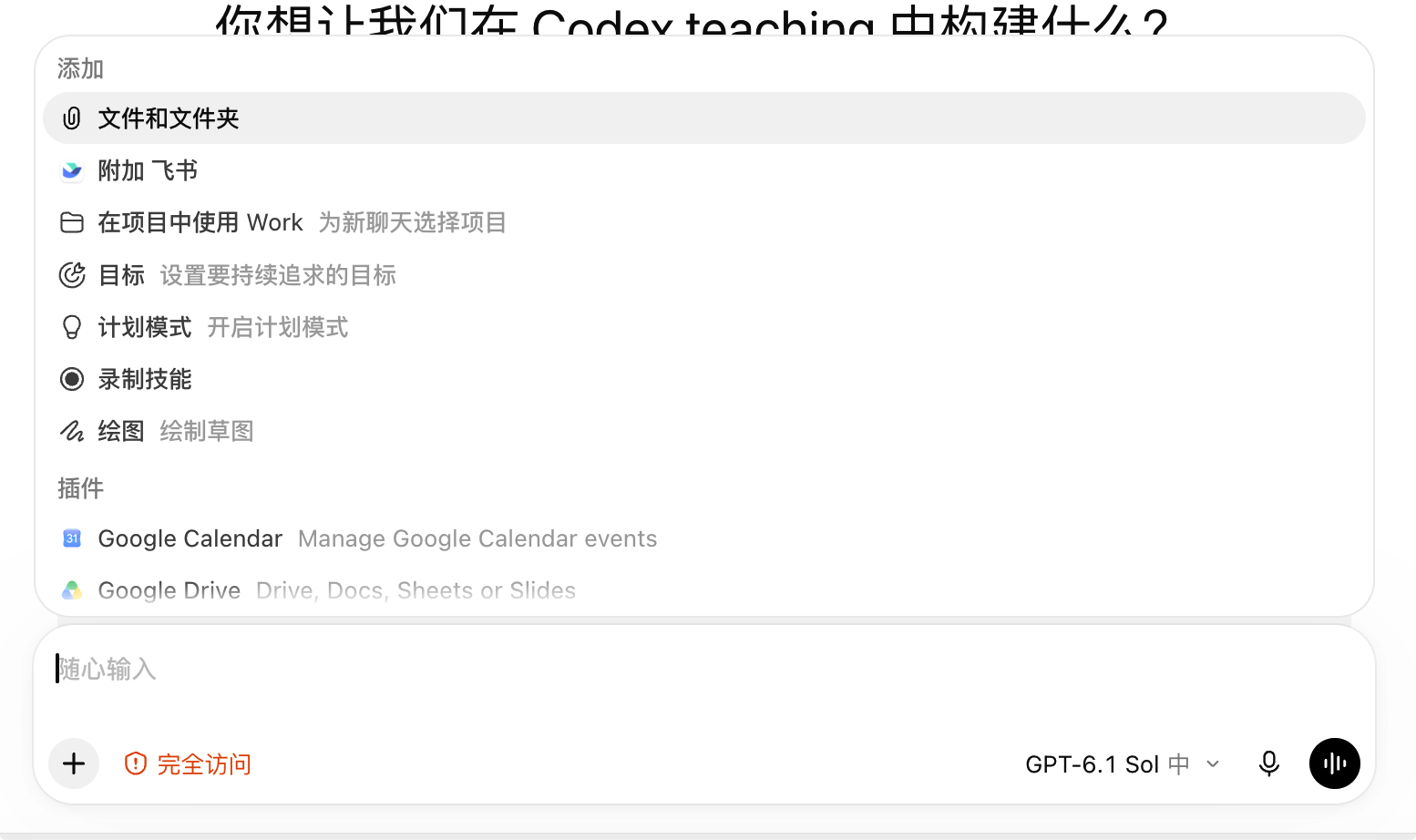
Using Plan Mode
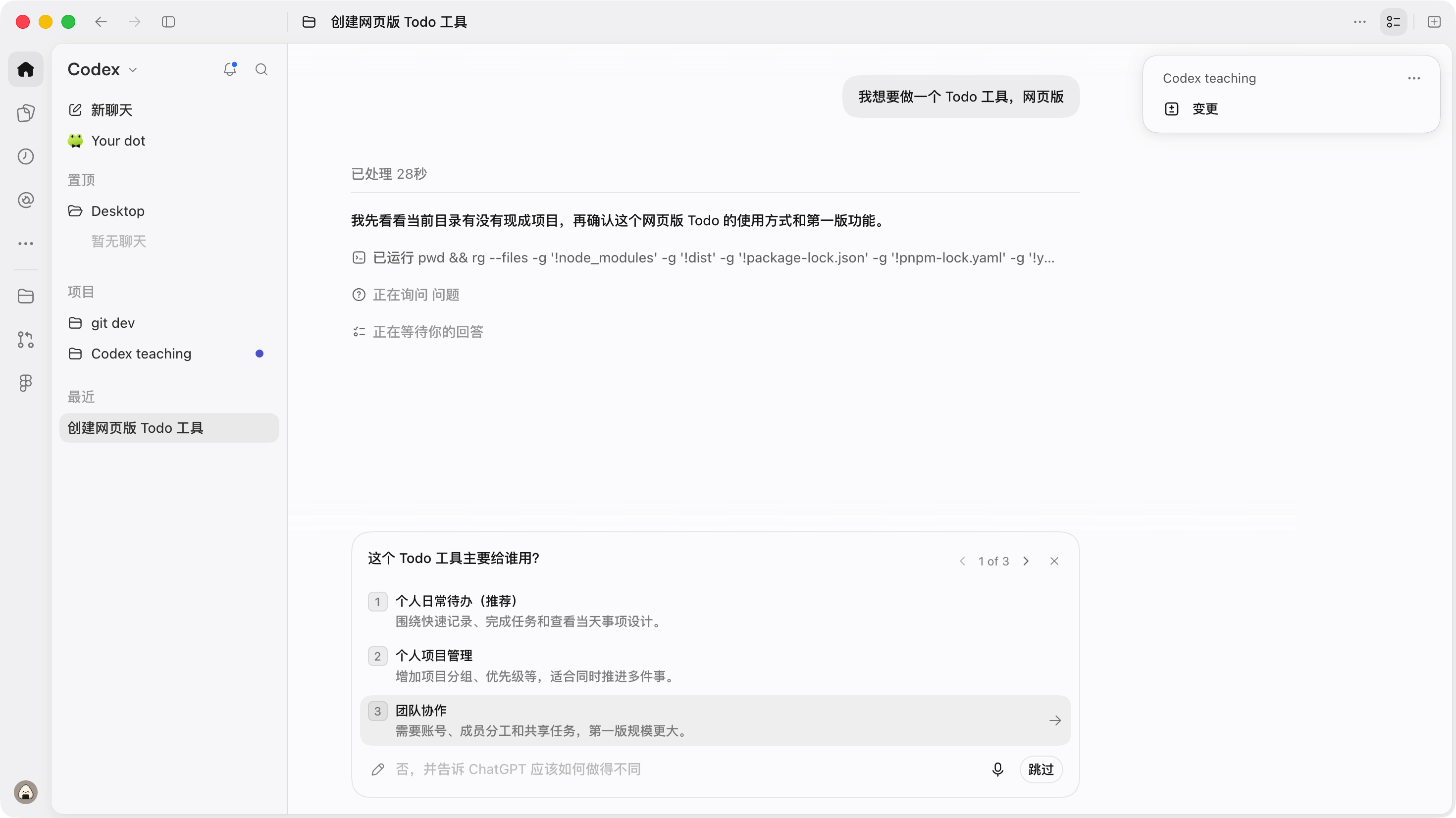
What is it useful for? Explaining it might be a bit complicated, so let's just try it out directly. For example, let's give it a task right now: "Help me build a Todo task list tool."
At this point, we notice the first change: usually after we send a task, we just wait for AI to finish it, but now it will pause the task first and ask us some details, which may involve technology or product—in short, we need to make a choice. It will automatically recommend an option, and we can also give a completely custom answer.
When everything is ready, it will output a plan report, as shown below. Note that it hasn't started writing code yet; AI has only looked at the repository, clarified what needs to be done, and drawn up a plan checklist. If we think it's fine, we can start implementing the plan; if we're not satisfied, or suddenly think of something we haven't explained clearly, we can tell it again and have it continue adjusting the plan until we're satisfied, then implement it.
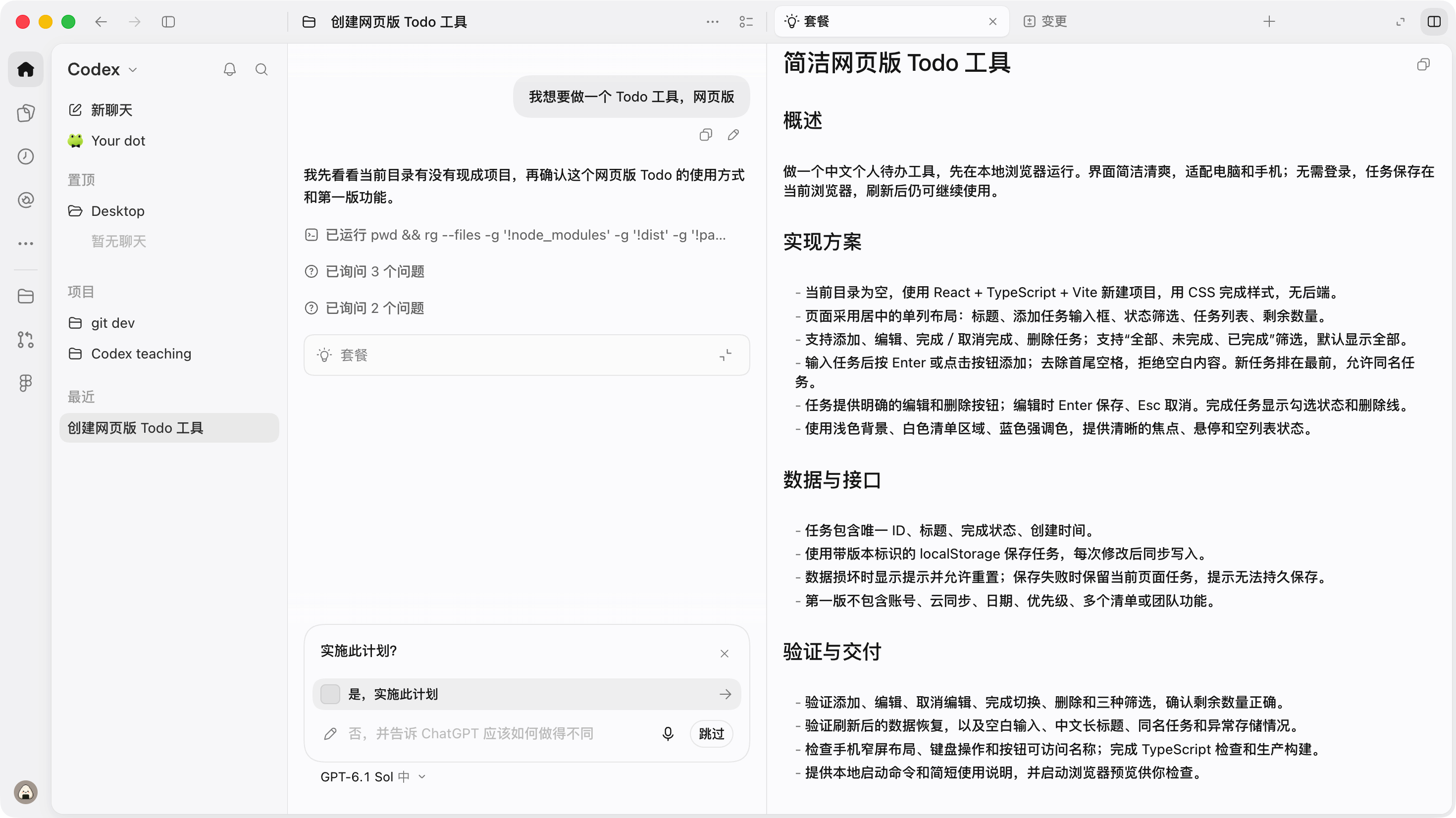
For this test project, I was already quite satisfied with this plan, so I directly clicked "Implement Plan." Only then does AI truly start doing things and implementing the requirements with code.
The value of Plan Mode
Plan Mode allows AI to first sort out all the prerequisite information, including product architecture, technical approach, project status, etc. This helps AI better implement our project requirements while avoiding repeated code modifications, saving tokens and time.
As model capabilities have further improved, Plan Mode is now used less, mainly for projects from 0 to 1, or scenarios where requirements need to be clarified step by step.
Next steps
Now we know about Plan Mode, which can help us better clarify what we want AI to do, and then implement it. But after it's done, what do we do? How should we do it?
27 likes
You can like once today