In the previous installment, we already got Codex connected to GitHub, enabling commits, pushes, and code rollbacks. However, having to commit and push manually every time is really inconvenient. Is there any way tomake the entire project follow automatic commit conventions? Or perhaps is there a way to build a project convention?
The answer is yes—these are the AGENTS.md and DESIGN.md documents.
AGENTS.md
This is a project's convention document. Every time AI generates content, it reads through this document, so it will definitely be executed (though how much is actually followed depends on the model's capability—for example, GPT 5.6 sol can basically follow it completely, but GPT 5.6 luna may only follow about 60%).
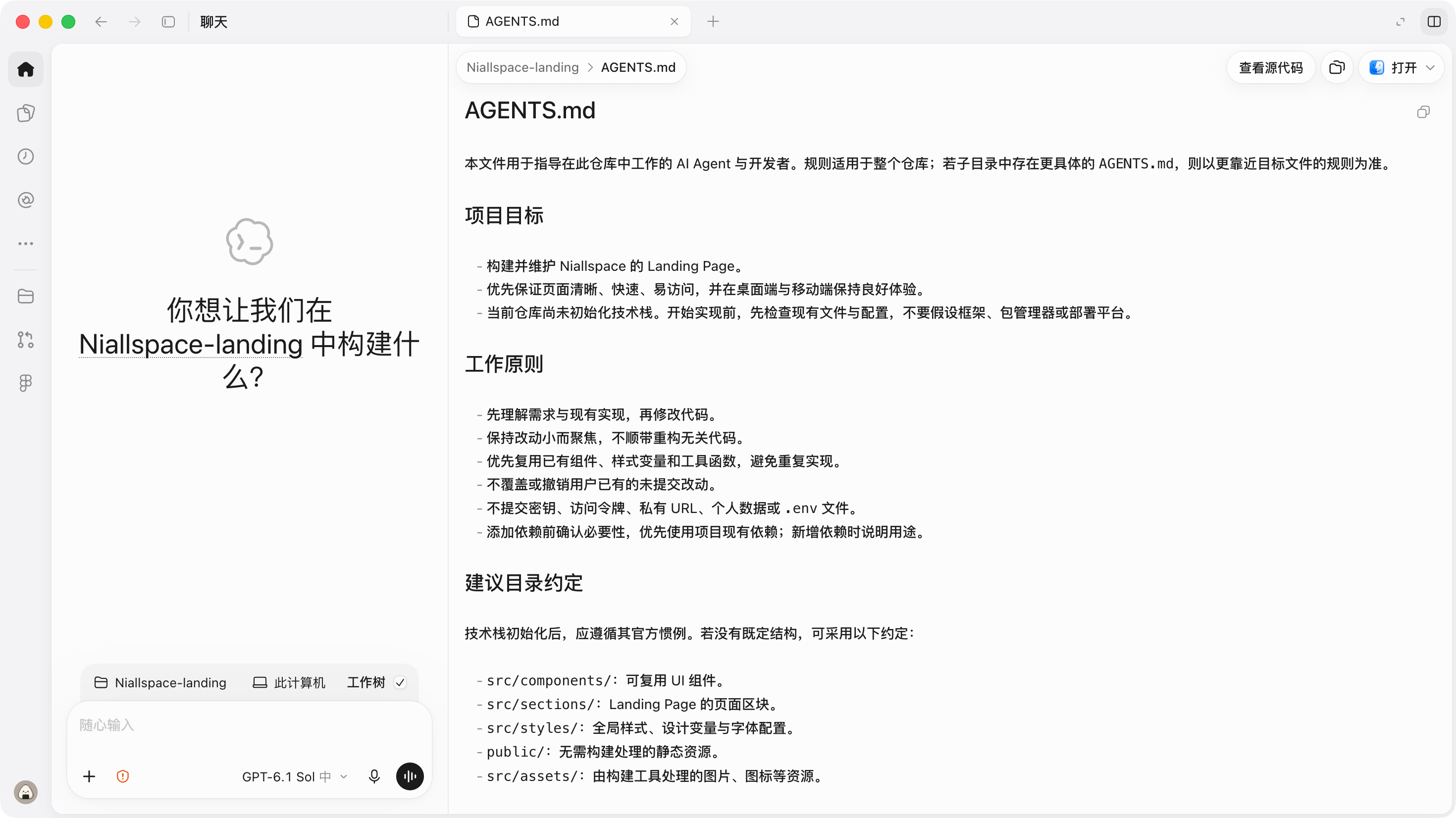
This Markdown document is generally used to standardize or teach the AI some necessary specific operations or ways to solve problems. For example:
After each AI generation, require automatic code commits;
When encountering xxx bug, you must use xxx solution to resolve it,the code and architecture are as follows...
It is easy to see that this provides the AI with a project-specific convention document. With it, the AI can write code according to our requirements. You can clearly describe what the project does and what tech stack it uses, and you can also require automatic commits after every code change. Moreover, the previous article introduced Git commit conventions, which you can also write into the AGENTS.md document so that the AI follows them when committing.
But please be sure to pay attention to the file size of AGENTS.md; it is best not to have too many lines (theoretically, more than 100 lines is somewhat too much). It is recommended tohandle AGENTS.md through an index-built multi-document structure with a table of contents. I once wrote a dedicated article (link:From an AGENTS.md Guide to AgentsMD-GEN · AI) and a corresponding Skill to solve the maintenance problem of AGENTS.md, link: https://github.com/Niall-Young/AgentsMD-GEN.
DESIGN.md
The name DESIGN.md already tells us what it does.
It is used to define design conventions (note that I am not saying it can directly make AI generate high-quality design drafts), such as brand colors, rounded corners, etc. It usually includes variables, font styles, shadows and their basic usage. Google's DESIGN.md open-source repository has a detailed introduction.
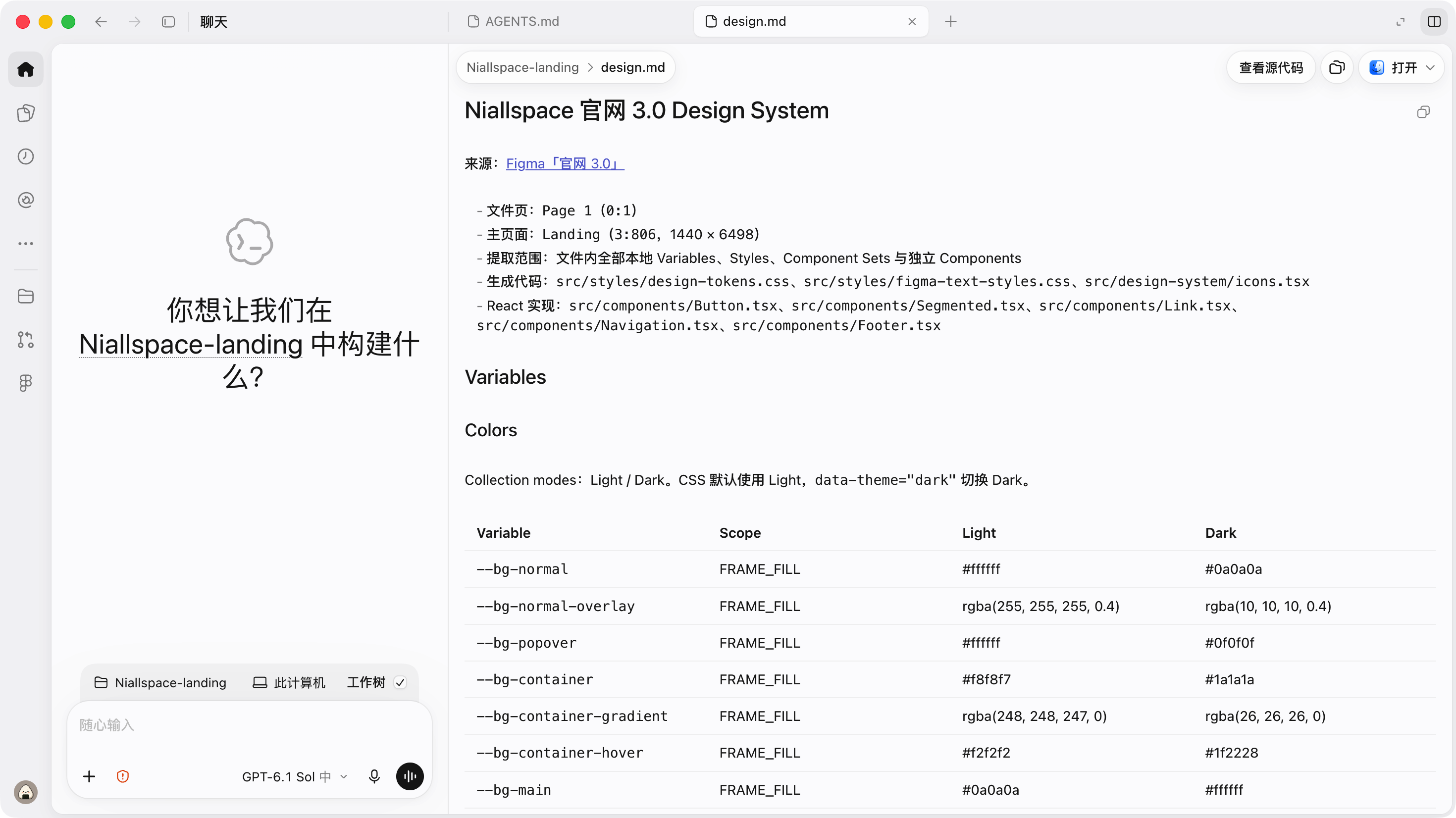
The role of this thing was seriously overestimated in the marketing some time ago. Its main role is to standardize the following things:
Standardize global variables, styles, and how they are used;
Standardize the basic interactions of components and controls;
Standardize interaction flows and interaction logic.
Companies such as Vercel and Atlassian have relatively engineering-oriented and detailed practices for DESIGN.md. If you are interested, you can check out these articles:
Vercel engineering practice:https://vercel.com/blog/how-our-agents-build-on-brand-pages-with-design-md
Atlassian engineering practice: https://www.atlassian.com/blog/how-we-build/atlassians-design-md-is-here-what-we-learned-testing-portable-design-context-in-practice
Creating AGENTS.md and DESIGN.md
Creating them is very simple: create two Markdown files in the project root directory, named AGENTS.md and DESIGN.md respectively. Of course, you can also have the AI create them for you; it will usually first sort out some basic conventions of the current project.
创建一个 AGENTS.md 和 DESIGN.mdGenerally speaking, both documents are created at the start of the project.
Usage recommendations
At the start of the project, that is, after the Git repository is initialized, create AGENTS.md;
DESIGN.md is only suitable for small projects and prototypes, not for large projects;token consumptionis relatively high and the effect may not necessarily be very good;
If the AI keeps making the same mistake, after fixing it, ask the AI to consolidate this part into AGENTS.md;
DESIGN.md can be output directly from a Figma component library using MCP. If you have design drafts, you can do this.
Next steps
Now our project finally has conventions, and we know how to use plan mode to make the AI work better, and project management has Git tools. But what if we encounter a multiple-choice question—is it better to use blue or purple for this button—what should we do?
38 likes
You can like once today