Now we can link Codex with GitHub, but in actual work or when developing your own small product, you use far more than just these two tools. How can content like Figma, Feishu Docs, and DingTalk Docs be handed to AI? Can AI read and operate them?
Yes, this is MCP. If you are using a Chinese Agent tool, this type of feature is generally called a connector.
Codex connects to MCP
You can find the MCP configuration in设置—>MCP 服务器, as shown in the figure below.
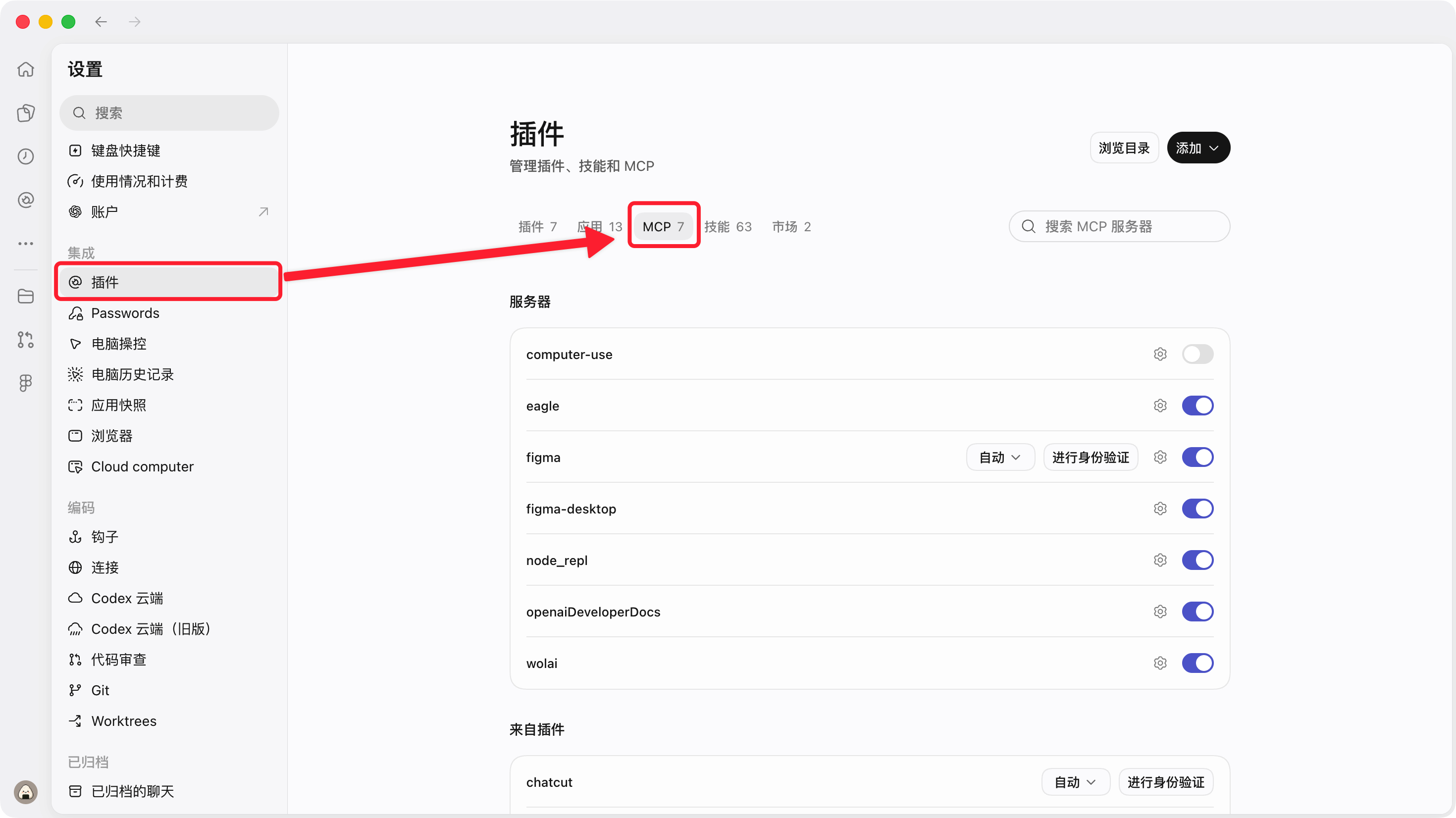
Configure MCP
GUI configuration method
If you want to add an MCP, you can configure it here using the GUI.Take Figma MCP as an example. First, go tothe official Figma MCP documentation: https://developers.figma.com/docs/figma-mcp-server/local-server-installation/
Then find Other editors, and you will see a JSON code snippet like this.
{
  "mcpServers": {
    "figma-desktop": {
      "url": "http://127.0.0.1:3845/mcp"
    }
  }
}
Actually, it is already quite clear: the core of Figma MCP is a URL. Go back to the MCP servers page in Codex and click the add server button. As shown below, select Streaming HTTP, enter the URL from this JSON, customize the name, and then click Save. Figma MCP is then configured.
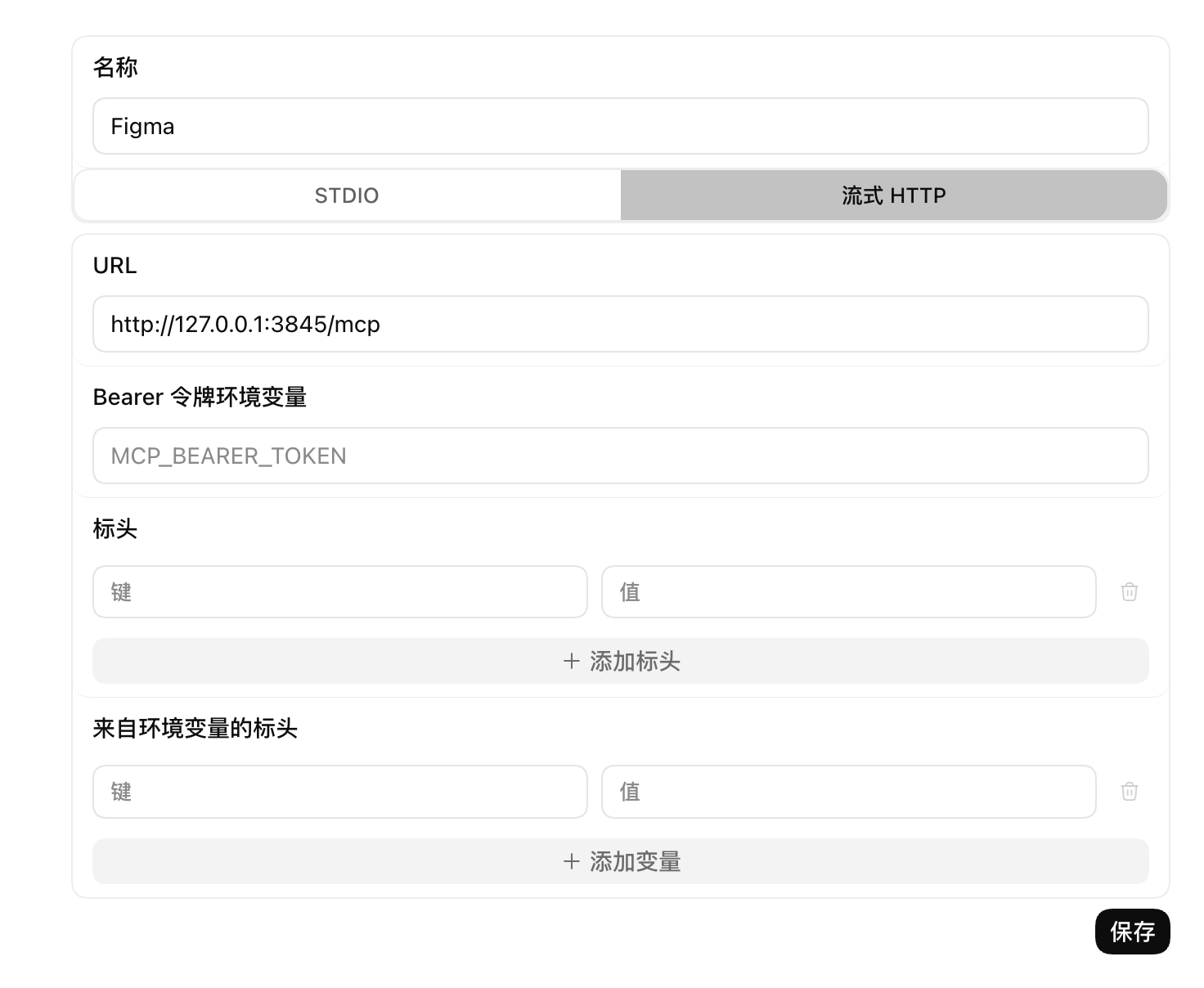
AI configuration method
Of course, you can still have Codex help you complete the configuration; the method is simple, and we'll still use Figma MCP as an example.
帮我配置好这个 MCP:https://developers.figma.com/docs/figma-mcp-server/local-server-installation/#claude-codeCheck installed MCPs
Enter in the input box/mcp, press Enter, and all currently installed MCPs will be displayed, as shown below.
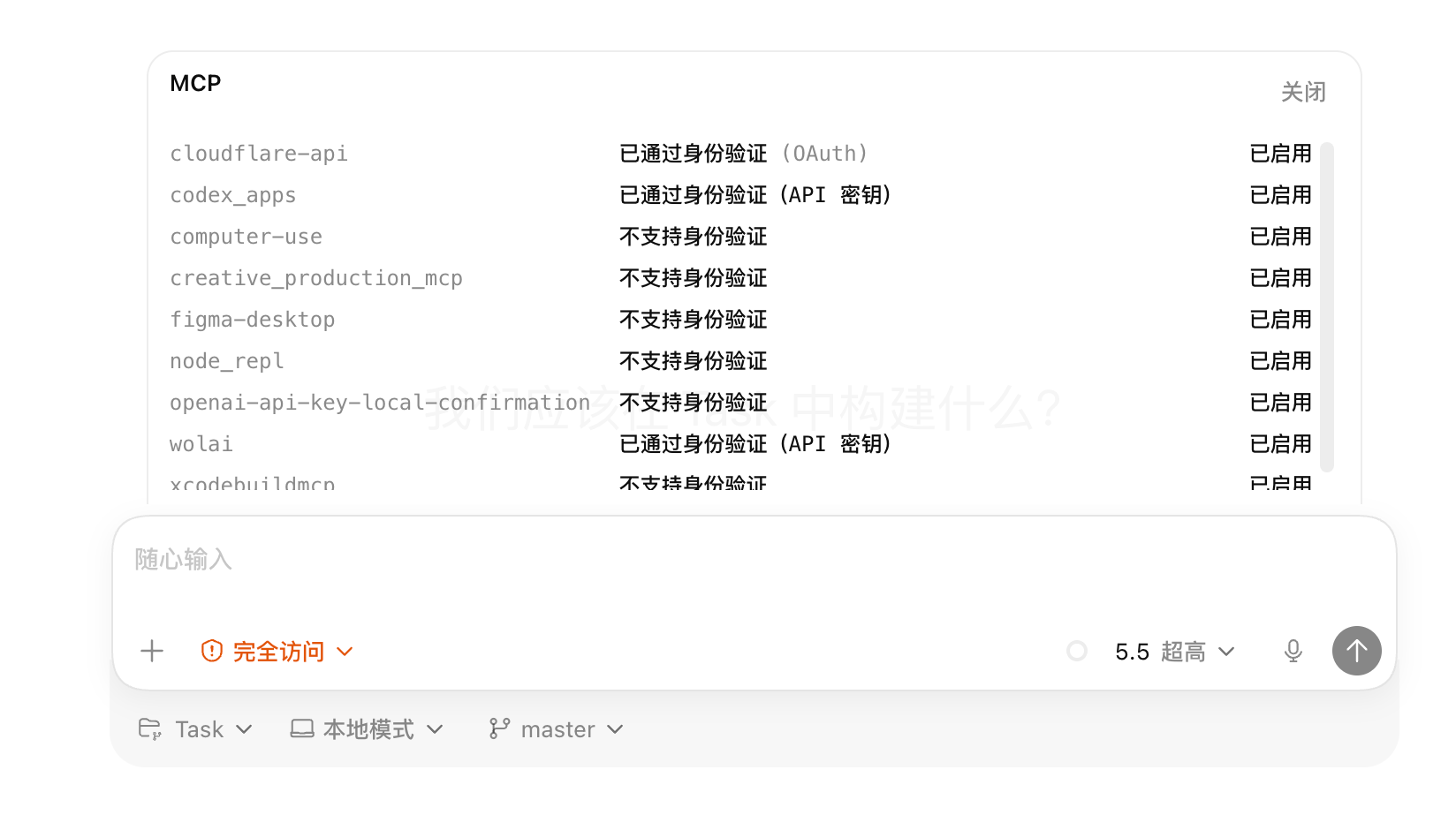
Next step
Now that we have MCP, we can connect more products and tools to further expand AI workflows. However, after using it many times, you'll notice that some repetitive operations require explaining to the AI every time. Writing them all into AGENTS.md is too long, and they aren't needed in every conversation—so what should be done?
62 likes
You can like once today