We can now get AI to do almost anything (though the quality may be questionable), but we still don't know how to use Skills. How do you use Skills in Codex?
Installing Skills in Codex
Skills used in Codex fall into two categories: third-party skills and official skills, and the installation methods differ.
Official Skills
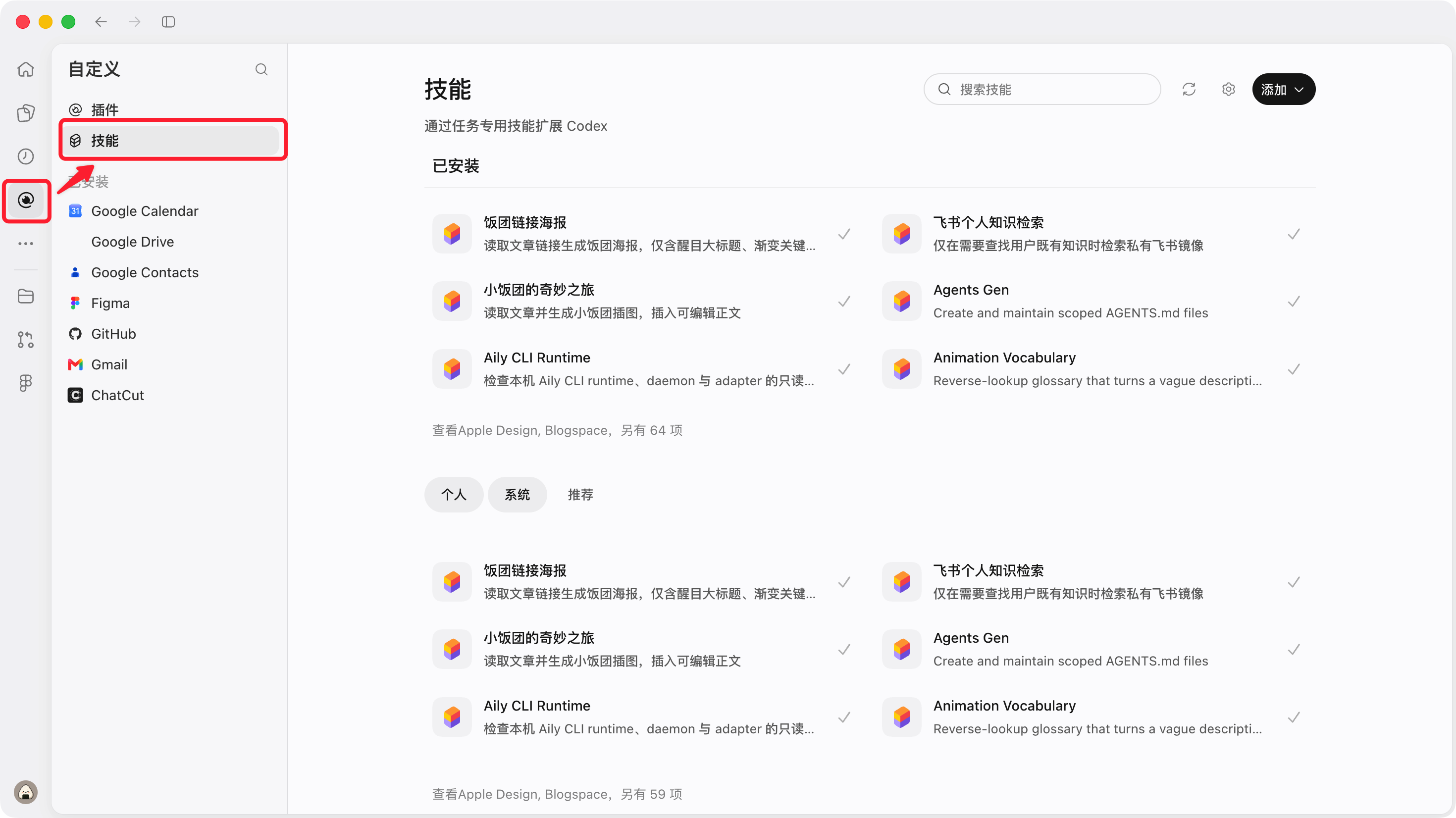
Codex officially provides quite a few Skills, and installing them is very simple.In the plugins section, switch to the Skill tab and click Install.
Third-Party Skills
There are 2 ways to install third-party Skills: AI installation and file directory migration. I recommend having the AI install them directly.
AI Installation
Generally, these Skills are GitHub repositories. You can copy the link and give it to Codex to install, for example:
帮我安装这个 Skill:这里是仓库链接Of course, you can also upload a compressed package you've already downloaded locally and have Codex install it.
Normally, I recommend using AI installation for Skills, because manually migrating directories is relatively convenient on macOS but rather troublesome on Windows.
File Directory Migration
This method is rather troublesome and not recommended for beginners. Here I'll demonstrate with macOS; the logic on Windows is the same, but the storage directory may vary by computer, so you'll need to find it yourself.
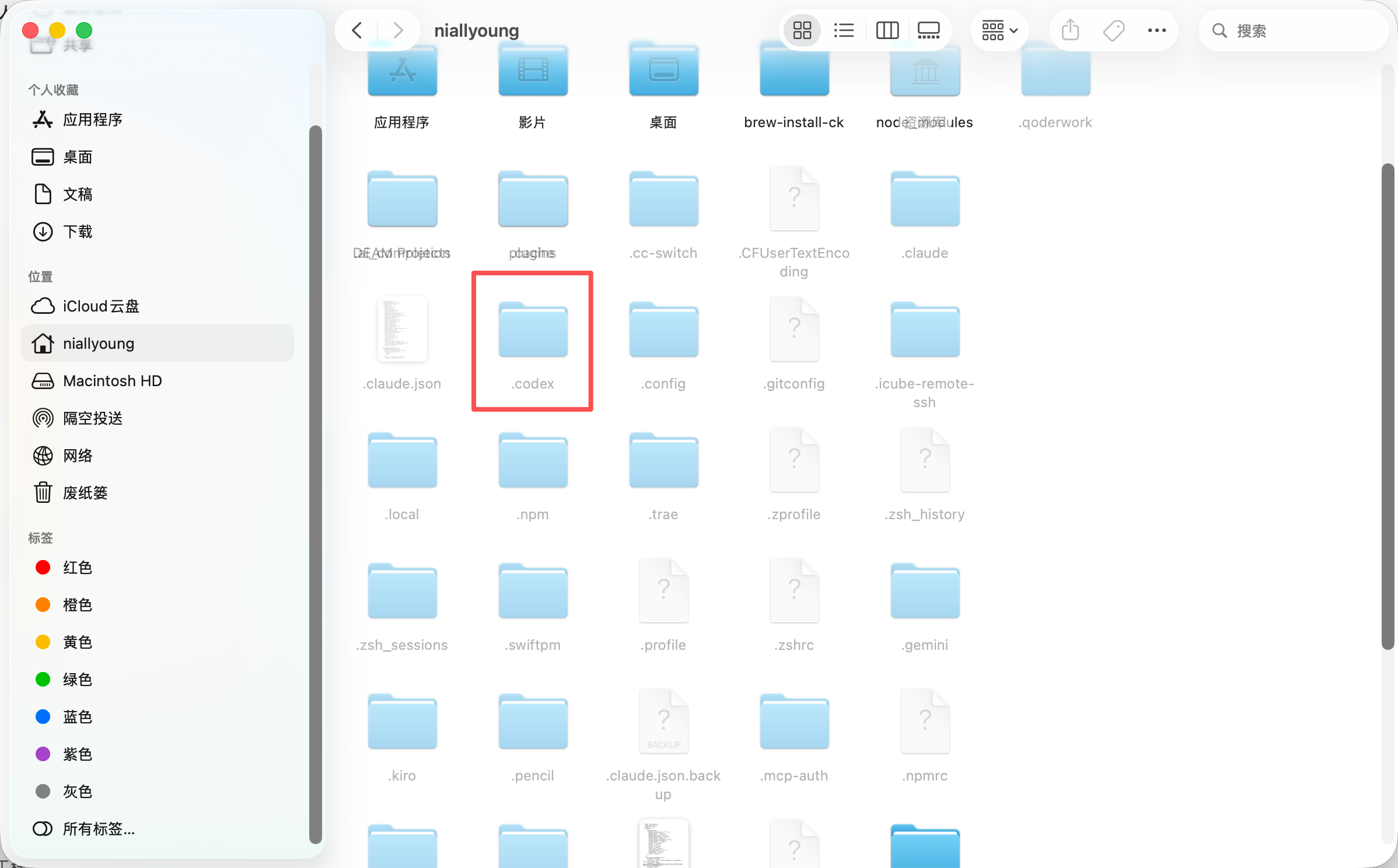
First, in Finder, go to your personal user directory, press Cmd + Shift + . to show hidden files, then open the .codex folder, as shown below.
Once inside, find the skills folder, as shown below.
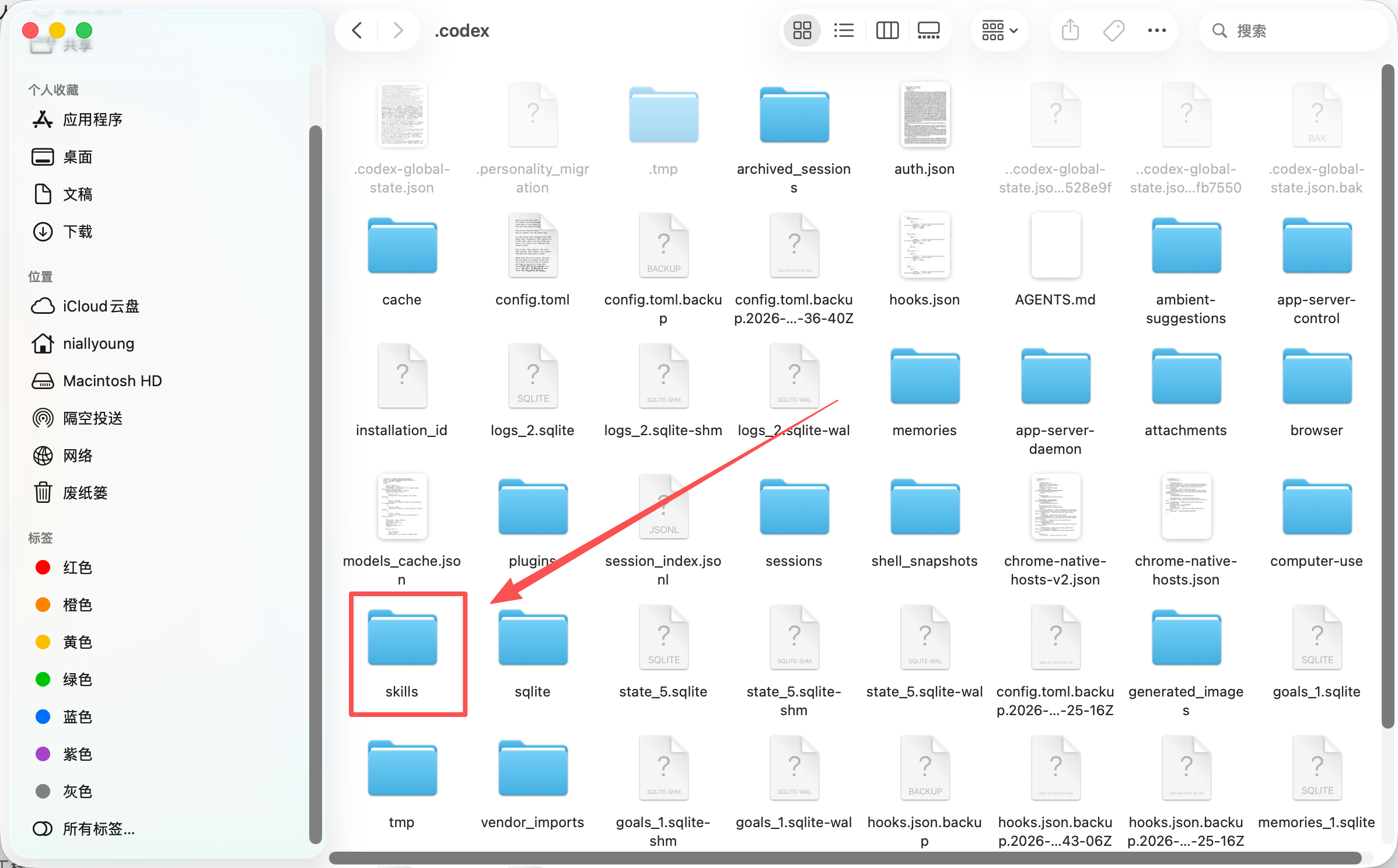
Just drag the Skill folder you downloaded locally into this folder.
Checking Skill Installation
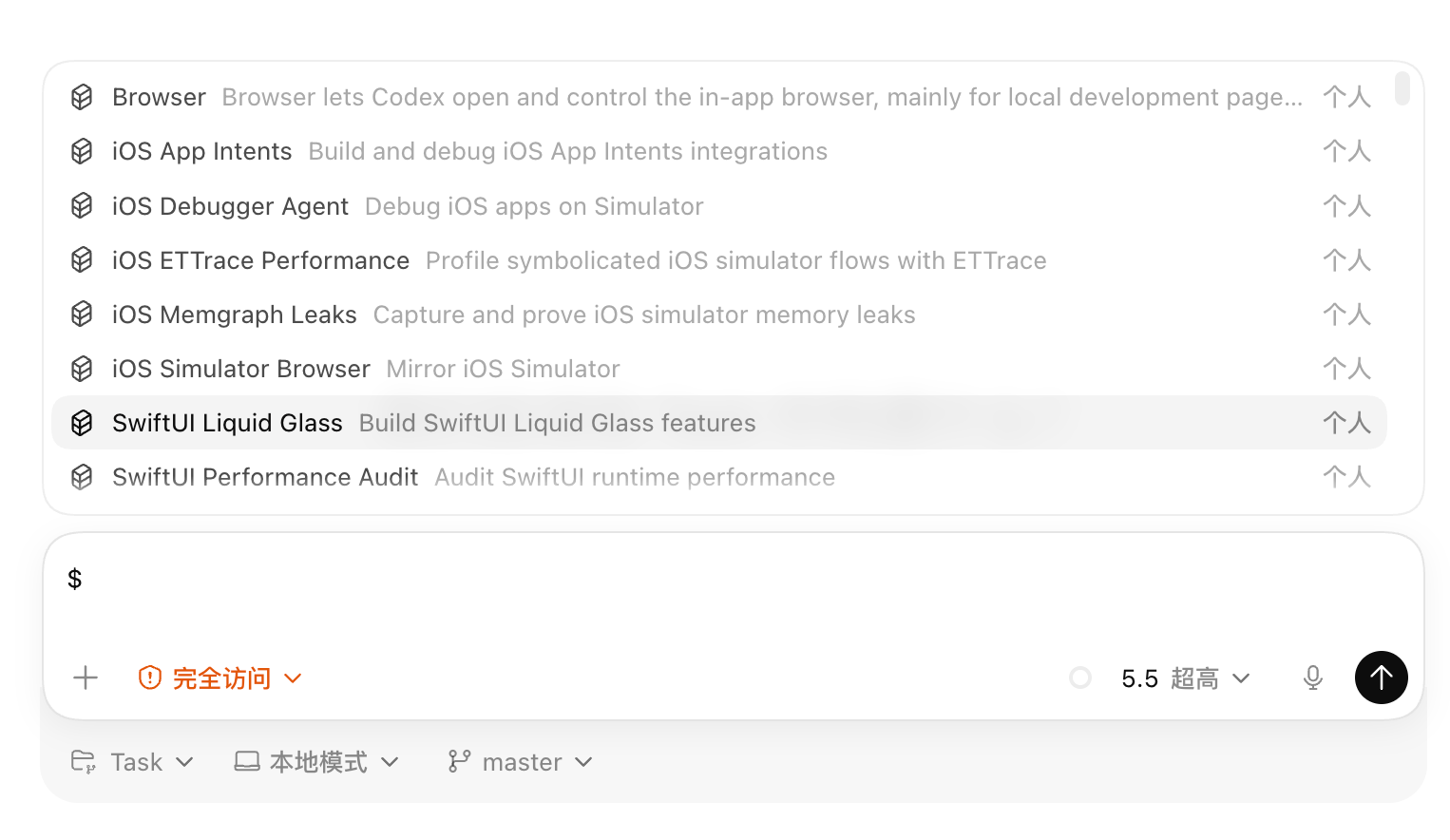
Return to the Codex conversation page and type the $ symbol in the input box, and all installed Skills will be displayed, as shown below. At this point you can select a Skill and add it directly to the conversation.
Creating Skills
Creating Your Own
You can also create Skills yourself. You can describe your needs directly to the AI, or first type $, select the skill_creator Skill to help you create one.
You can also treat a Skill as a project and use the plan mode introduced earlier to develop the corresponding project repository. Just tell the Agent "I want to create a Skill"—you don't necessarily have to actively select create-skill.
Creating in Other Ways
Yes, besides direct development, there are some special ways to create Skills in Codex, mainly the following 2, which require a Mac; Windows computers do not support them yet.
Record a video to convert into a Skill, as shown below. After clicking record, you can demonstrate the process of performing a task during screen recording,and then Codex will convert it into a Skill; if it's a GUI operation, it will use Computer Use to complete it;
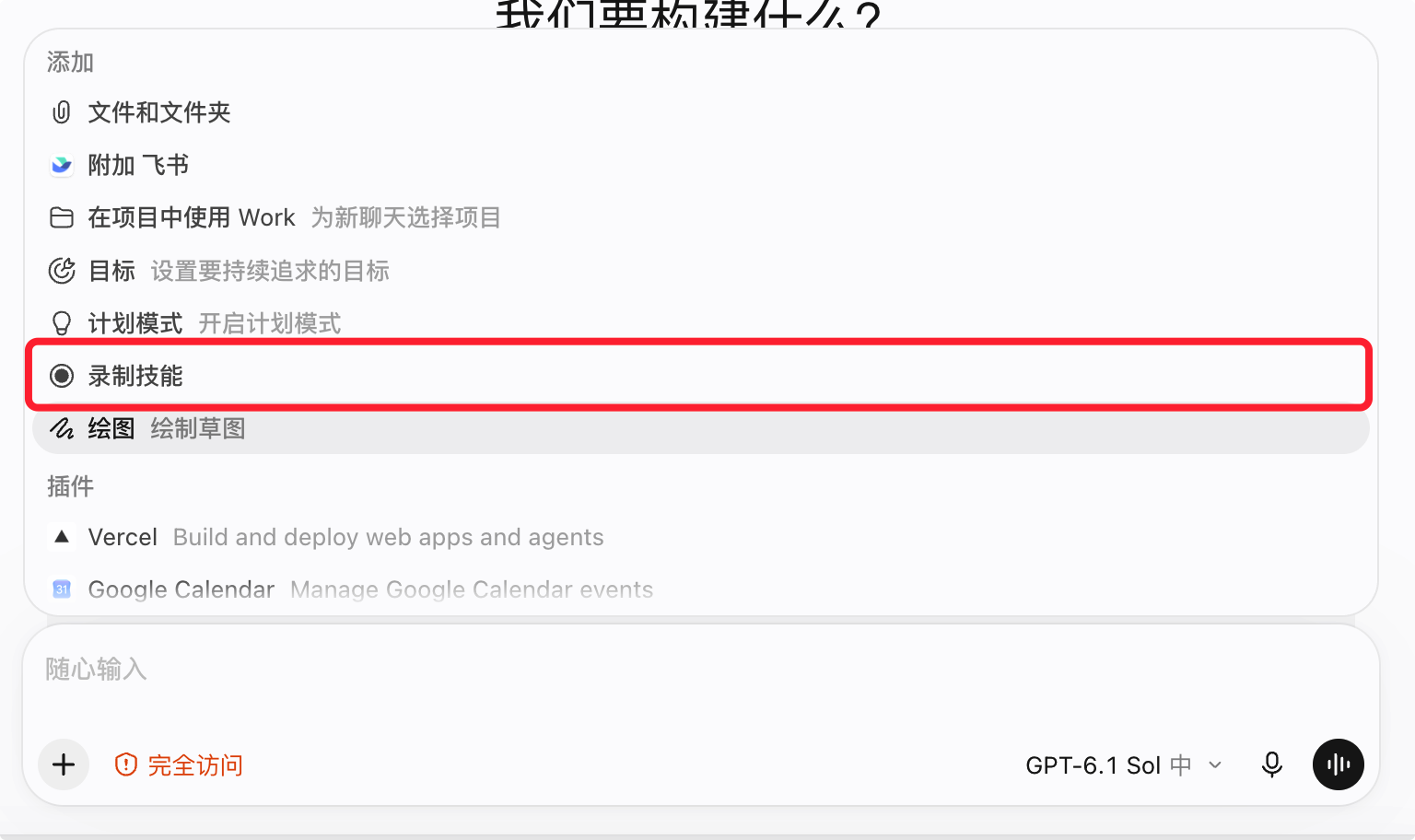
点击此处录制技能 In addition, if you enable behavior monitoring in Codex settings, Codex will learn about your mouse behavior in real time and then find some repetitive operations to automatically turn into Skills for you, but this is not free,as it continuously consumes your Tokens.

开启后,即可让 Codex 全天候监听操作行为
Advanced Operations
If you use more than just Codex as your Agent, you may now have encountered the problem of needing to maintain Skill repositories separately for each Agent, which brings heavy maintenance costs. Therefore, I recommend using symlinks to manage Skills. If you're interested, you can read my article: https://doc.niallspace.com/ai/posts/skill-manager
Next Steps
Now we have a lot of Skills, but it's still not very convenient. Some tasks are relatively large and require combining several Skills in a specific way, plus prompts, MCP, and tools. They're scattered everywhere, and you have to re-tell the AI how to use them each time. Is there a way to integrate them?
44 likes
You can like once today